Less Than or Equal To Sign (≤) Explained Simply 2026

The less than or equal to sign (≤) is one of the most commonly used symbols in mathematics, programming, and everyday comparisons.
It looks like the less than sign with a flat line underneath it. Students, teachers, coders, and data analysts use this symbol every single day. Understanding what it means, how to type it, and where to use it correctly can make your math and coding work much easier.
What Is the Less Than or Equal To Sign?
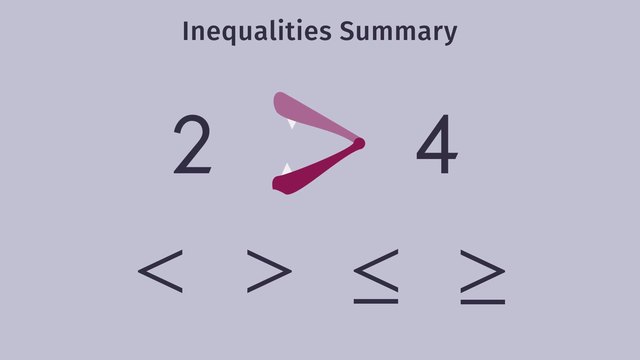
The less than or equal to sign is written as ≤. It is a mathematical symbol used to compare two values. It tells you that the value on the left is either smaller than or exactly equal to the value on the right.
For example, x ≤ 5 means x can be 5, 4, 3, 2, 1, or any number below 5. The ≤ sign combines two ideas — “less than” and “equal to” — into one single symbol.
The Symbol: What Does ≤ Look Like?
The ≤ sign is made up of two parts. The top part is the less than sign ( < ), and the bottom part is a horizontal line ( — ) representing equality.
Together they form ≤, which is read as “less than or equal to.” Its mirror image is ≥, which means “greater than or equal to.”
History and Origin of the Less Than or Equal To Sign
The less than sign ( < ) has been used in mathematics since the 1560s. It was introduced by the English mathematician Thomas Harriot. The equal sign ( = ) was introduced even earlier, by Robert Recorde in 1557.
Over time, mathematicians combined the two symbols to create ≤ and ≥ to express a wider range of comparisons. Today, ≤ is a standard part of mathematical notation used worldwide.
How to Read the Less Than or Equal To Sign
Reading the ≤ symbol correctly is simple. Always read from left to right.
If you see a ≤ 10, you read it as “a is less than or equal to 10.” This means a can be 10 or any number below 10.
Less Than or Equal To Sign — Full Symbol Reference Table
| Symbol | Name | Meaning | Example |
|---|---|---|---|
| < | Less Than | Left value is smaller | 3 < 7 |
| > | Greater Than | Left value is bigger | 9 > 4 |
| = | Equal To | Both values are the same | 5 = 5 |
| ≤ | Less Than or Equal To | Left is smaller or same | x ≤ 8 |
| ≥ | Greater Than or Equal To | Left is bigger or same | y ≥ 2 |
| ≠ | Not Equal To | Values are not the same | 3 ≠ 7 |
Less Than or Equal To vs Less Than — Key Difference
Many people confuse ≤ with <. They look similar but mean different things.
The less than sign ( < ) means strictly smaller. For example, x < 5 means x can be 4.9, 4, 3, 2 — but NOT 5. The less than or equal to sign ( ≤ ) means x can be 5 or anything below 5.
| Sign | Symbol | Includes the number itself? | Example |
|---|---|---|---|
| Less Than | < | No | 3 < 5 (3 is less, 5 is excluded) |
| Less Than or Equal To | ≤ | Yes | 3 ≤ 5 (3 is less, 5 is included) |
How the Less Than or Equal To Sign Works on a Number Line
On a number line, the ≤ sign is shown with a closed circle (●) at the boundary point. The closed circle means the boundary value is included.
For x ≤ 4, you draw a closed circle at 4 and shade everything to the left. This shows that x can be 4 or any number smaller than 4.
Compare this with x < 4, where you draw an open circle (○) at 4, meaning 4 is NOT included.
Real-Life Uses of the Less Than or Equal To Sign
The ≤ symbol shows up far beyond the math classroom. Here are common real-world situations where you use it every day without even realizing it.
- Speed limits: Your speed must be ≤ 60 km/h on a highway.
- Age restrictions: You must be ≤ 12 years old to get a child ticket.
- Weight limits: Luggage weight ≤ 23 kg on most airlines.
- Budget limits: Total spend ≤ $500 for the month.
- Temperature settings: Room temperature ≤ 25°C for comfort.
- Exam scores: A passing grade is x ≥ 50, so failing is x < 50.
- Time constraints: You have ≤ 60 minutes to complete the test.
- Shopping: Buy items where the price ≤ your budget.
Solving Inequalities With the Less Than or Equal To Sign
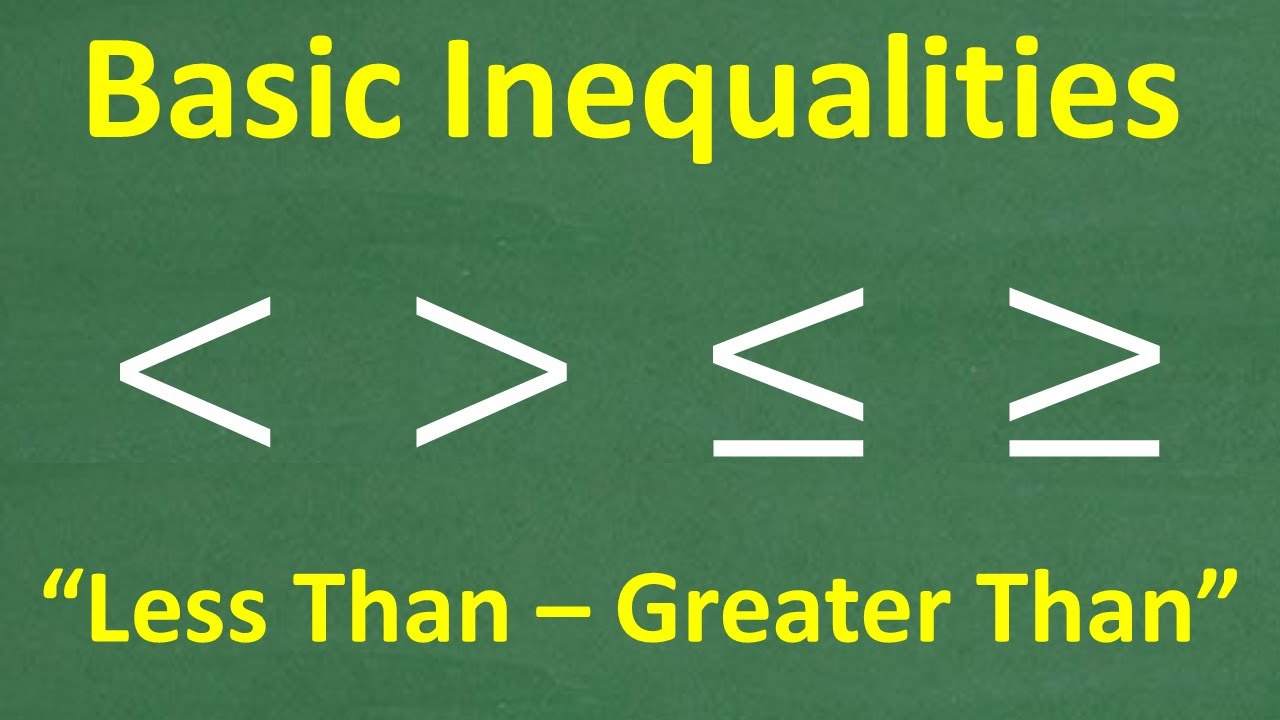
Solving inequalities with ≤ is almost like solving regular equations. The only difference is your answer is a range, not a single number.
Example 1: Solve 2x ≤ 10
Divide both sides by 2: x ≤ 5. This means x can be any number up to and including 5.
Example 2: Solve 3x + 1 ≤ 13
Subtract 1 from both sides: 3x ≤ 12. Then divide by 3: x ≤ 4.
Important Rule: If you multiply or divide both sides of an inequality by a negative number, you must flip the ≤ sign to ≥.
Example 3: Solve -2x ≤ 8
Divide by -2 (flip the sign): x ≥ -4. The sign flips because we divided by a negative.
Less Than or Equal To Sign in Mathematics — Common Phrases
When you read word problems in math, certain phrases always signal the ≤ symbol. Recognizing these phrases saves time and prevents mistakes.
| Phrase | Symbol |
|---|---|
| At most | ≤ |
| No more than | ≤ |
| Maximum of | ≤ |
| Not exceeding | ≤ |
| Up to | ≤ |
| Cannot exceed | ≤ |
| Does not go above | ≤ |
How to Type the Less Than or Equal To Sign (≤)
Not finding ≤ on your keyboard? Here are all the ways to type it on every device and platform.
Windows Keyboard Shortcut
Hold down the Alt key and type 243 on the numeric keypad. Release the Alt key and ≤ will appear.
You can also use Alt + 8804 (using the numeric keypad) in some applications.
Mac Keyboard Shortcut
On a Mac, press Option + , (Option and the comma key). The ≤ sign appears immediately.
Using Unicode
The Unicode code point for ≤ is U+2264. You can type it in Microsoft Word by typing 2264 then pressing Alt + X.
HTML Code for ≤
If you are building a website and need the less than or equal to sign in HTML, use one of these codes:
| Method | Code | Output |
|---|---|---|
| HTML Entity Name | ≤ | ≤ |
| HTML Entity Number | ≤ | ≤ |
| HTML Hex Code | ≤ | ≤ |
| CSS Content Value | \2264 | ≤ |
| Unicode | U+2264 | ≤ |
Copy and Paste
The easiest method for most people is to simply copy the symbol directly: ≤
Paste it anywhere — Google Docs, Word, Excel, WhatsApp, email, or any text field.
Typing ≤ in Microsoft Word

Open Word, go to Insert → Symbol → More Symbols. In the Character Code box, type 2264. The ≤ symbol will appear. Click Insert.
Word also has an AutoCorrect feature. If you type <= and press space, Word may automatically convert it to ≤.
Typing ≤ on a Phone or Tablet
On most smartphones, long-press the < key on the keyboard. A popup will appear showing related symbols including ≤. Tap it to insert.
Alternatively, open your phone’s symbol keyboard (usually labeled 123 or #+=) and look for ≤ in the math symbols section.
Less Than or Equal To Sign in Programming and Coding
In most programming languages, you cannot directly type ≤ as an operator. Instead, programmers use <= to represent less than or equal to.
Programming Language Reference
| Language | Operator for ≤ | Example |
|---|---|---|
| Python | <= | if x <= 10: |
| JavaScript | <= | if (x <= 10) {} |
| Java | <= | if (x <= 10) {} |
| C / C++ | <= | if (x <= 10) {} |
| SQL | <= | WHERE age <= 18 |
| Excel | <= | =IF(A1<=100,”Pass”,”Fail”) |
| Fortran | .LE. or <= | IF (X .LE. 10) |
| R Language | <= | if (x <= 10) |
| Prolog | =< | X =< 10 |
| BASIC | <= | IF X <= 10 THEN |
Note that Prolog uses =< instead of <= to avoid confusion with a directional arrow. Always check the syntax rules of your specific language.
Using ≤ in Excel Formulas
In Microsoft Excel, the <= operator is used inside formulas. For example, =IF(A1<=50,”Fail”,”Pass”) checks whether the value in cell A1 is less than or equal to 50 and returns Fail or Pass accordingly.
You can also use <= in COUNTIF and SUMIF functions. For example, =COUNTIF(A1:A10,”<=100″) counts all values in the range that are 100 or below.
Less Than or Equal To in Set Notation and Intervals
In mathematics, ≤ is used to define intervals and sets. Understanding this helps in algebra, calculus, and statistics.
For x ≤ 7, the interval notation is (-∞, 7]. The square bracket ] means 7 is included. A round bracket means the number is excluded.
| Inequality | Interval Notation | Meaning |
|---|---|---|
| x < 5 | (-∞, 5) | All numbers less than 5, 5 excluded |
| x ≤ 5 | (-∞, 5] | All numbers up to and including 5 |
| x > 2 | (2, ∞) | All numbers greater than 2, 2 excluded |
| x ≥ 2 | [2, ∞) | All numbers from 2 upward, 2 included |
| 2 ≤ x ≤ 8 | [2, 8] | All numbers from 2 to 8, both included |
Less Than or Equal To Sign in Statistics
In statistics, the ≤ sign appears constantly in probability and data analysis.
When calculating probability, P(X ≤ 3) means the probability that a variable X is 3 or less. This is called a cumulative probability.
In hypothesis testing, significance levels use ≤. A result is statistically significant if the p-value ≤ 0.05, meaning there is at most a 5% chance the result is due to random chance.
Less Than or Equal To in Linear Programming
Linear programming is a method used in business, engineering, and economics to find the best outcome given certain limits. The ≤ sign plays a central role here.
Constraints in linear programming are almost always expressed using ≤. For example, a factory might have the constraint: labor hours used ≤ 200. This means the solution must stay within this boundary.
Finding the maximum profit or minimum cost while satisfying all ≤ constraints is the core goal of linear programming.
Comparing ≤ and ≥ — Mirror Symbols Explained

The ≤ and ≥ symbols are mirror images. Understanding both together makes comparisons clearer.
| Expression | Meaning | Example |
|---|---|---|
| a ≤ b | a is at most b | 4 ≤ 7 (true) |
| a ≥ b | a is at least b | 7 ≥ 4 (true) |
| a ≤ b | Same as b ≥ a | 3 ≤ 9 is same as 9 ≥ 3 |
You can always flip an inequality by reversing the symbol. If x ≤ 10, then 10 ≥ x. Both statements are identical in meaning.
Common Mistakes When Using the Less Than or Equal To Sign
Many students and beginners make these mistakes. Knowing them helps you avoid them.
- Using < instead of ≤ when the boundary value should be included. Always check if the problem says “up to and including” or just “less than.”
- Forgetting to flip the sign when multiplying or dividing by a negative number in an inequality.
- Drawing an open circle on the number line instead of a closed circle for ≤.
- Confusing ≤ with ≥ when reading from right to left. Always read left to right.
- Using <= in math writing where the proper symbol ≤ should be used. In formal math, always use ≤.
Tricks to Remember the Less Than or Equal To Sign
The most popular memory trick is the Alligator Method. Think of the ≤ sign as an alligator’s open mouth. The wide open side of the mouth always faces the bigger number.
Another trick is the L Method. The less than sign < looks like the letter L. L stands for Less. So < means less than.
For ≤ specifically, just remember it is the less than sign with a small line below it. That line represents the “or equal to” part.
Less Than or Equal To Sign — Quick Reference Cheat Sheet
| Topic | Detail |
|---|---|
| Symbol | ≤ |
| Name | Less Than or Equal To |
| Unicode | U+2264 |
| HTML Entity | ≤ |
| Alt Code (Windows) | Alt + 243 |
| Mac Shortcut | Option + , |
| Programming Operator | <= |
| Number Line | Closed circle ● |
| Interval Notation | ] (square bracket on right) |
| Opposite Symbol | ≥ |
| Common Phrases | At most, no more than, maximum |
Less Than or Equal To Sign in LaTeX
If you write math documents or academic papers using LaTeX, the ≤ sign is typed using a simple command.
The LaTeX command for ≤ is \leq or \le. Both produce the same output.
For example, in LaTeX you write: $x \leq 10$ and it renders as x ≤ 10 in the final document.
The command for ≥ is \geq or \ge.
Worked Examples Using the Less Than or Equal To Sign
Example 1: A student needs to score at most 90 points to qualify for a category. Write this as an inequality.
Answer: score ≤ 90
Example 2: A car’s speed must not exceed 100 km/h. Write an inequality.
Answer: speed ≤ 100
Example 3: Solve 5x – 3 ≤ 22
Add 3 to both sides: 5x ≤ 25. Divide by 5: x ≤ 5.
Example 4: Solve -4x ≤ 16
Divide by -4 (flip the sign): x ≥ -4.
Example 5: A store allows a maximum of 15 customers inside at one time. Let c = number of customers. Write the inequality.
Answer: c ≤ 15
Frequently Asked Questions (FAQs)
Q1. What does the less than or equal to sign (≤) mean?
The ≤ sign means the value on the left is either smaller than or exactly equal to the value on the right. For example, x ≤ 6 means x can be 6 or any number below 6.
Q2. What is the difference between < and ≤?
The < sign means strictly less than and does not include the boundary number. The ≤ sign means less than or equal to and does include the boundary number.
Q3. How do I type the ≤ sign on a Windows keyboard?
Hold the Alt key and type 243 on the numeric keypad, then release Alt. You can also type 2264 then press Alt + X in Microsoft Word to get ≤.
Q4. How do I type ≤ on a Mac?
Press Option + , (the comma key while holding Option). The ≤ sign appears instantly in any Mac application including Pages, Numbers, and text editors.
Q5. What is the HTML code for the less than or equal to sign?
The HTML entity name is ≤ and the numeric code is ≤. Both produce the ≤ symbol when used in a webpage’s HTML code.
Q6. What is the Unicode value for ≤?
The Unicode code point for the less than or equal to sign is U+2264. In HTML Hex format it is ≤ and in CSS it is written as \2264.
Q7. How is ≤ used in programming?
In most programming languages like Python, Java, JavaScript, and C++, ≤ is typed as <=. For example, if (x <= 10) checks whether x is less than or equal to 10.
Q8. How do you show ≤ on a number line?
Draw a closed circle (●) at the boundary number and shade the number line to the left. A closed circle means the boundary point is included in the solution set.
Q9. What are common real-life examples of the ≤ sign?
Speed limits (speed ≤ 60 km/h), luggage weight (weight ≤ 23 kg), age restrictions (age ≤ 12), and budget caps (spending ≤ $500) are common everyday uses of the ≤ sign.
Q10. What happens to the ≤ sign when you multiply by a negative number?
The ≤ sign flips to ≥ when you multiply or divide both sides of the inequality by a negative number. For example, -2x ≤ 8 becomes x ≥ -4 after dividing by -2.
Conclusion
The less than or equal to sign (≤) is a small symbol with a very big role in mathematics, science, programming, and daily life. It tells us that one value is either smaller than or equal to another, giving a range of valid answers instead of a single fixed answer.
From solving algebra problems and drawing number lines to writing code and setting up spreadsheet formulas, the ≤ sign is everywhere.
Knowing how to read it, write it, type it, and use it correctly removes confusion and boosts confidence in math and tech work.
Whether you are a student learning inequalities for the first time or a developer writing conditional logic, this guide has everything you need. Bookmark it as your go-to reference for the ≤ sign in 2026 and beyond.