

Cut Video on Visible Events Before Music Beats
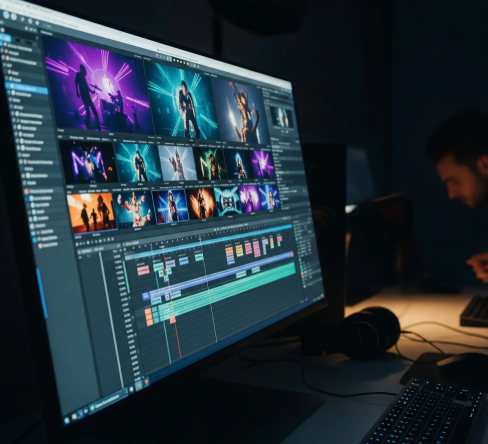
A beat-perfect edit can still miss the action. The music drops exactly as a skateboard leaves the ramp, but the cut arrives before the landing. A product turns on the snare, yet the button press and the visible response are split between shots. The sequence feels energetic while the picture withholds the moment viewers need to understand.
Editing rhythm should begin with visible event boundaries: the instant an action starts, changes state, or finishes. Music can reinforce those boundaries after they are mapped. When the soundtrack dictates every cut first, the edit may become musical at the cost of visual meaning.
Identify When Audio Rhythm Hides the Action
Play the clip once with sound and note the places that feel satisfying. Then mute it and watch the same sequence without touching the timeline. Look for incomplete gestures, results that appear before their causes, and objects that change state between cuts. These failures are often masked by a strong beat.
Name the promised action in concrete terms. “The rider clears the gap and lands,” “the coffee grinder starts after the switch moves,” or “the fabric changes shape as it is folded” gives the review a visible beginning and end. “The video feels dynamic” gives no boundary to protect.
Distinguish between a deliberate ellipsis and a missing event. A cooking montage may skip the time inside an oven while showing the tray enter and the finished dish emerge. That is readable compression. Cutting from raw ingredients to a plated meal with no transition may be acceptable as a graphic contrast, but it should not pretend to demonstrate the process.
Mark any place where narration supplies a verb the picture does not show. “Attach,” “open,” “remove,” and “compare” all imply visible state changes. Turn the audio off and ask whether the corresponding action survives. If not, either restore the event or rewrite the narration so it does not claim a demonstration the frames fail to provide.
Draw a Map of Visible State Changes
For each action, mark three points: onset, commitment, and consequence. Onset is the first readable movement. Commitment is the point after which the action’s direction is clear. Consequence is the first frame that confirms the new state. A cut can occur around any of these points, but the choice changes what the viewer understands.
| Boundary | Question | Editing risk |
| Onset | Has the action visibly begun? | Cutting earlier makes motion appear uncaused |
| Commitment | Is the direction now unmistakable? | Cutting here can feel fast but still coherent |
| Consequence | Can the new state be read? | Cutting earlier hides the payoff |
Place the soundtrack waveform beneath this map only after the visual points are marked. Some beats will align naturally. Others will fall just before or after a necessary state change. Decide which side should move. If the action carries the story, preserve its consequence and adjust the music edit, use a different beat, or let the shot breathe.
Do not freeze every clip into the same three-part rhythm. A reveal may need a long commitment phase; a reaction may be understood almost immediately; a mechanical sequence may require several consequences. The map is a diagnostic tool, not a template for shot duration.
Use color marks on the map only for review categories, not for emotional judgments. One color can identify required state changes, another optional texture, and a third soundtrack accents. This keeps the editor from treating every strong beat as mandatory. When time is tight, protect the required visual boundaries first and simplify the audio treatment around them.
Test a Tempo Variant without Losing Meaning
AIVideoEditor.me’s official editing page describes uploading footage, writing a prompt for the desired change, and generating a new visual version. It advises stating what should remain consistent and acknowledges that prompt editing is not guaranteed to control every frame perfectly. Use that workflow for a bounded tempo or mood candidate, not as a substitute for the boundary map.
A useful request might be: “Make the sequence feel more urgent while preserving the button press, startup light, rotating part, and final product state in that order.” The request identifies one creative goal and four protected events. Avoid asking simultaneously for new camera motion, a different background, captions, and a faster pace; several changes make the cause of a failure hard to isolate.
With an video editor AI, the result is a candidate that needs comparison. Play source and candidate muted at normal speed. Mark whether each onset, commitment, and consequence remains visible. Then restore the sound and ask whether the music supports or competes with those points.
If the candidate improves energy but removes one consequence, try one focused repair: preserve the state change and adjust the pacing around it. If the repair shifts the defect to another action, reject the direction. An energetic sequence with unstable meaning will become harder to fix as more sound design and captions are added.
Compare the exact source and candidate durations. A shorter version may feel faster simply because it omits the evidence-bearing moment. Note whether the requested urgency came from tighter pauses, changed motion, or removed frames. These mechanisms have different editorial costs and should not be collapsed into one “pace improved” verdict.
Reconcile the Soundtrack with the Picture
Once the silent cut reads clearly, use music for emphasis. A beat can land on commitment to heighten anticipation or on consequence to reward completion. Those are different editorial choices. Record the reason rather than moving the cut until it merely feels satisfying.
Check the final sequence on a small screen and at reduced volume. Fine movement may disappear at mobile size, while a strong soundtrack still conveys momentum. If the evidence-bearing state cannot be seen, choose a wider crop, a longer hold, or a closer source shot instead of expecting the audio to compensate.
Captions should add context rather than narrate missing action. “Three settings” can clarify what the viewer is seeing. “Press the button to start” should not be necessary if the button and response are the point of the demonstration. Keep text out of the hands, controls, and object changes used in the boundary map.
Review accessibility versions as separate deliveries. Audio description may need enough time to name an action, while captions require safe visual space. That can justify a different cut, but the underlying onset, commitment, and consequence should remain coherent. Do not solve an accessibility timing need by dropping the event the description is meant to explain.
Teams that edit videos online should save the silent approval version as well as the final sound mix. AIVideoEditor.me can help explore a different tempo or mood, but the muted review proves that the sequence still carries its own visual logic.
The final decision is simple: can a viewer see the action begin, understand its direction, and register the consequence before the next cut? If yes, let the soundtrack strengthen that path. If no, move the picture boundary first. Rhythm is most persuasive when music and visible change arrive as partners, not when the beat covers a missing event.
Save the approved boundary map with the AIVideoEditor.me candidate and its final soundtrack. A future reversion, localization, or platform crop can then preserve the same evidence points. What began as a rhythm review becomes a reusable description of why each important cut exists.