
AI Video Generator Tests Should Start With Sound Off
Most social video is approved in a quiet room with sound on and plenty of attention. It is then watched in a feed where a thumb is already moving and the phone may be muted. That mismatch is why an AI Video Generator should be judged first as silent visual communication, not as a miniature film that gets ideal viewing conditions.
MakeShot.ai brings text-to-video and image-to-video options into one browser workspace and currently presents more than eight model choices. The range can shorten the distance between an idea and a draft. It cannot decide whether a distracted viewer understands the clip before scrolling away. That decision needs a feed-shaped test.
Design for the Feed That Actually Receives It
A silent first pass exposes problems that music can hide. The subject arrives too late. The first frame looks like a still ad with no reason to wait. A hand points at something outside the crop. The action makes sense only after narration explains it. None of those failures are fixed by choosing a more dramatic soundtrack.
The team should define the viewing condition before the prompt: vertical or horizontal placement, likely crop, whether controls cover the lower frame, and how long the focal action has to become clear. These are publishing conditions, not generation settings. They determine what a usable draft looks like.
A useful brief names the action in ordinary language. “The lid opens and the product remains centered” gives the reviewer something visible to verify. “Create an engaging reveal” does not. Engagement is an outcome; the lid and product position are observable parts of the shot.
Give the First Second One Visible Job
The opening does not need a surprise. It needs a readable change. A product rotates far enough to show a feature. A face turns toward a clear reaction. A before image gives way to an after image. Choose one job and reject openings where several small movements compete.
This rule is especially useful for image-to-video. The source still already gives the viewer composition and subject. Motion should reveal something the still cannot, rather than merely shaking every edge to prove that the asset is now a video.
Watch the opening once at actual feed size. If you have to replay it to identify the subject, the first second has too many jobs or too little contrast. Fix the source image or simplify the movement before generating a larger set.
Compare Drafts With a Three Feed Matrix
Do not compare model outputs in a full-screen player alone. Put each draft through three simple viewing conditions. The winner is the clip that keeps its message across those conditions, not the one with the most detail when paused.
| Viewing condition | Question | Failure signal |
| Muted phone | Is the subject and action clear immediately? | Meaning depends on narration |
| Small preview | Does the focal point survive reduced size? | Important action becomes visual noise |
| Cropped placement | Do face, product, and text stay visible? | Platform chrome or crop removes the point |
Hold the Brief Still While Routes Change
If the team tries another model, keep the source, requested action, aspect requirement, and acceptance question fixed. Otherwise the comparison becomes a collection of unrelated clips. MakeShot.ai presents different routes, including Kling for smooth image-to-video motion and Seedance for fast video creation. Treat those descriptions as starting hypotheses and let the same feed matrix decide.
Record the first failed condition for every rejected draft. “Bad quality” teaches nothing. “The product disappears in the small preview” tells the next editor whether to change the crop, source image, or motion. That note also stops the team from repeating the same failed idea with a new model name.
Keep a small reference board with the passing first frame from each channel. It becomes a guide for future source selection. Editors can see how much empty space a vertical crop needed or how large a product had to be before it survived a small preview.
Use Audio Only After Silent Meaning Passes
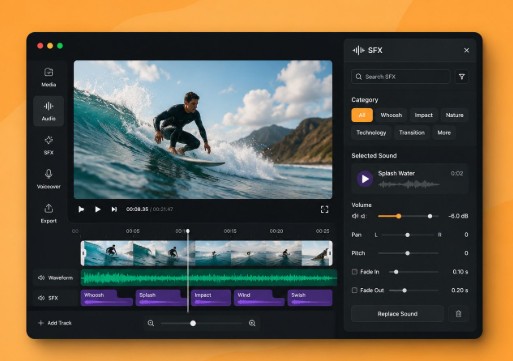
Once a clip survives muted viewing, audio can add pace, tone, or spoken context. Veo is presented on the platform with native audio capabilities, but audio still deserves a separate review. Check whether speech, effects, and visual action agree. Do not use a strong sound cue to excuse a weak or ambiguous opening frame.
The order protects the simplest version of the message. Sound may add context, but a muted viewer should still know what they are looking at and why the motion matters.
Route Each Passing Clip to One Channel
A draft that passes one feed is not automatically universal. A square crop may keep a centered product but cut off a hand demonstration in vertical placement. A landscape clip may work on a landing page while becoming unreadable inside a narrow mobile card. Approve the clip for a named placement and keep the test result with it.
Run the check again after captions, logos, and platform-safe margins are added. These elements reduce the space available to the generated scene. A clip that passed as a clean draft may fail once real publishing furniture sits on top of it.
Make the Middle Review a Real Decision
The second link to an AI Video Generator belongs at the point where the team decides whether generation saved any work. Count accepted placements, not generated files. Ten attractive drafts that all fail the target crop are not progress. One draft that passes muted, small, and cropped viewing may be enough.
This acceptance count also improves future briefs. If faces repeatedly drift out of a vertical crop, select source images with more space around the subject. If subtle motion disappears in small previews, ask for a single clearer action. The feedback should change the next input, not just decorate a retrospective.
Archive only the passing clip and the most informative failure. Keeping every output makes the next review slower and hides the reason the final cut won. One good counterexample is enough to show what the team learned.
Keep the Clip That Survives Silent Viewing
Use MakeShot.ai when a team needs quick visual drafts and can hold those drafts against a real distribution condition. It suits social editors willing to reject polished work that does not read in the feed. It is less useful when the brief has no defined placement or when audio must carry the entire message.
The final check is deliberately plain: mute the phone, shrink the preview, and watch once without pausing. If the subject, action, and point remain clear, the clip has earned further polish. If they do not, change the visual idea before spending another hour on sound.
Run that check with someone who did not write the brief. Their first reading is closer to the real feed than the editor’s tenth replay. That fresh reaction matters.