Business Cards on a Budget: How to Create Sleek, Professional Cards for Free
Why Business Cards Still Matter in the Digital Age
In a world dominated by digital networking, business cards might seem old-school—but they’re far from obsolete. A well-designed card is a tangible reminder of your brand, making it easier for potential clients and partners to remember you. Whether you’re attending industry events, networking at coffee shops, or simply introducing yourself, a business card adds a personal touch that digital contacts can’t replace.
If you’re wondering how to print my own business cards free with a modern, professional look, there are plenty of online tools and strategies to help you create stunning designs without breaking the bank. From choosing the right templates to selecting quality printing options, here’s everything you need to know.
Choosing the Right Business Card Design
1. Keep It Simple and Clean
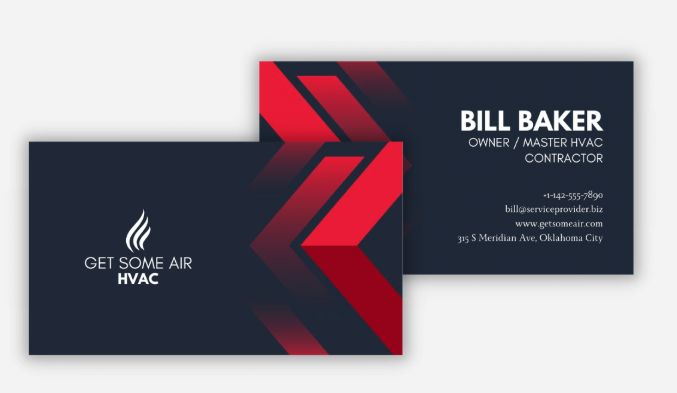
Your business card should be easy to read and visually appealing. Avoid clutter by focusing on essential details: your name, job title, contact information, and brand logo. Minimalist designs often have a more professional and polished look.
2. Use High-Quality Templates
Free design platforms like Canva, Vistaprint, and Adobe Express offer stylish templates tailored for different industries. These tools provide customization options so you can tweak fonts, colors, and layouts to match your brand identity.
3. Incorporate Your Branding Elements
Your business card should reflect your brand personality. Stick to your brand colors, fonts, and logo to create a cohesive look. If you don’t have a brand color scheme yet, consider using online color palette generators for inspiration.
Best Free Tools for Designing Business Cards
- Canva – Drag-and-drop design tool with customizable templates
- Vistaprint – Free design tool with affordable printing options
- Adobe Express – Professional-grade templates with branding options
- Zazzle – Allows you to create custom cards with easy-to-use features
- Avery Design & Print – Ideal for printing at home with pre-made layouts
Printing Options: Free vs. Paid
1. Print at Home
If you have a quality printer, printing your business cards at home can be a cost-effective option. Use thick cardstock paper for durability and adjust your printer settings for high resolution.
2. Order Free Business Cards Online
Several online services offer free business card printing with basic designs. Websites like Vistaprint often provide free options if you don’t mind a small logo on the back. If you’re looking for completely ad-free cards, consider promo deals from local print shops.
3. Local Print Shops and Office Stores
Some office supply stores, like Staples or Office Depot, offer affordable business card printing services. Keep an eye out for discounts or bulk printing deals to save money.
Making a Lasting Impression
Creating professional-looking business cards for free is easier than ever with the right tools and strategies. Whether you choose to design your own cards online or take advantage of free printing offers, the key is to ensure they represent your brand effectively. A well-made business card can leave a lasting impression, helping you stand out in a competitive market—without spending a dime!