
How Image-to-3D Tools Are Opening New Possibilities for Digital Creators
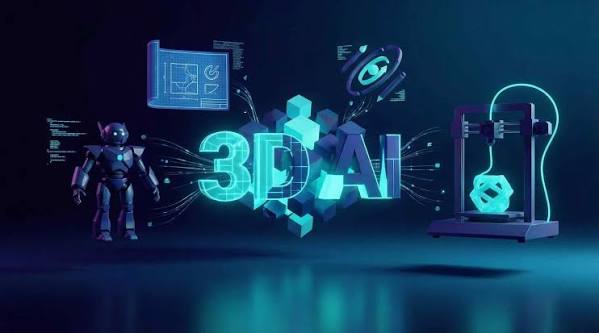
A useful 3D asset once demanded hours of manual construction before anyone could test the idea properly. Today, one clear reference picture can give software enough information to build an early model within minutes. This change gives creators a new starting point rather than replacing skilled modeling work. Image-based generation also lets one picture enter workflows that were previously harder to reach.
For many digital creators, this opens practical ways to test game assets, product ideas, characters, and printable designs much earlier.
A Reference Image Can Now Start the 3D Process
Traditional 3D work asks an artist to interpret a picture before building depth manually. You study proportions, add volume, and keep checking the model against the source.
Current image-driven systems shorten that opening stage by several manual steps. An Image to 3d workflow can use the picture itself as generation input. The system estimates visible geometry while predicting surfaces hidden from the camera. You still need to inspect those hidden areas before using the asset professionally.
A generated mesh therefore gives you a practical starting asset. It does not automatically prove the model meets production standards.
Why More Creators Can Experiment With 3D
Illustrators already make character sheets and concept artwork for their projects. Product designers may start with drawings before any physical prototype exists. AI 3D tools let those existing visuals enter another production stage without requiring advanced manual mesh construction first.
Blender’s current 5.2 LTS documentation covers modeling, sculpting, animation, and rigging inside one open-source suite. That range gives us some perspective on how many skills traditional 3D production can involve. Beginners can now test an idea before learning every production stage.
Five Workflows Image Generation Makes Easier
1. Turning Concept Art Into Playable Prototypes
Game artists can start with concept artwork and generate a rough asset for scale testing. The first model does not need final topology to answer early design questions. A draft character can enter a test scene before detailed modeling begins. Your team can then check proportions against doors, vehicles, props, or other characters.
Meshy supports FBX among its six documented main export formats. The other listed formats include GLB, OBJ, STL, USDZ, and 3MF. Current Unity documentation says model files can contain meshes, animation rigs, materials, textures, and animation clips. Unity also identifies FBX as its primary supported model format.
2. Building Product Mockups From Existing Visuals
A product designer may already have a clean three-quarter render. Converting that image into a draft model provides another way to study its form. This can help during packaging concepts or client presentations before detailed production starts.
An image to 3D workflow has one clear limitation here. A single picture cannot directly provide information about every hidden surface. Several reference angles can help when accurate side details are important. Meshy’s 2026 Multi-View guide says the feature can combine up to four angles with Meshy 7.
Multi-View currently requires a paid Meshy subscription. The Free tier does not include Multi-View access.
3. Preparing Models for 3D Printing Tests
Generated assets can provide starting material for physical prototypes as well. A creator could turn a character illustration into an early figurine model.
Meshy documents STL as an option for single-color printing. It recommends 3MF when color or multi-material information needs to stay inside the file.
Printing still requires practical checks before sending the file to a machine. Small fingers or thin decorative sections may need extra repair. The first generated asset should therefore serve as workable material. Your final print requirements should guide every correction afterward.
4. Giving Independent Creators More Space to Experiment
Solo creators may not have specialists for every production stage. One person might manage the artwork before preparing the finished asset. Image-driven generation lowers the commitment required for early experiments. You can test several ideas before choosing one for detailed manual work.
Meshy currently provides both free plans and paid subscription options. Its Free plan includes 100 credits each month, which reset monthly.
Paid tiers provide larger credit allowances and additional production features. Meshy’s current pricing information also states that paid plans include commercial-use rights. This structure gives new users a practical entry point. Larger projects can later use paid features when their production requirements increase.
5. Taking Generated Characters Into Animation
A generated character can continue beyond static display when its geometry supports movement. Meshy’s Auto Rigging workflow currently supports humanoid characters and quadruped characters.
Smart Rig Beta also supports custom or fantasy creatures outside those standard categories. This can help with characters whose anatomy does not fit familiar skeleton templates. Meshy states that its automated rigging process generates a skeleton hierarchy with skinning weights in approximately 30 seconds.
Artists should still inspect joints before committing to final animation. Automatic rigging gives you an earlier testing point rather than eliminating technical review.
How to Prepare Better Source Images
Your source picture still has a major influence on the generated result. Better references can reduce unnecessary correction during later production.
- Choose an image where the complete subject fits inside the frame.
- Keep major limbs separated when the character will need rigging later.
- Avoid heavy shadows that hide important edges around your subject.
- Use three-quarter references when your object depends heavily on visible depth.
- Inspect the generated back and underside before accepting your first result.
- Add extra views through paid Multi-View when hidden surfaces need better accuracy.
Meshy’s own Multi-View guidance recommends consistent subject position and image size across different angles. It also recommends keeping backgrounds and proportions consistent between reference pictures.
Human Skills Still Decide the Final Quality
Automation changes the first draft, but it does not decide your production standard. Skilled artists still know when topology needs rebuilding before animation. 3D modeling knowledge also helps you identify technical problems before they reach later production stages. Poor edge flow or unsuitable geometry can cause problems during deformation.
Textures may need local corrections around seams or detailed areas. Printed models may need completely different repairs from assets intended for games. Your final destination should therefore guide every manual correction.
FAQ
Can one picture really generate a usable 3D model?
One picture can produce a useful starting model, but hidden surfaces require software prediction. Additional angles can provide better information when side accuracy is important.
Does Meshy offer a free option?
Yes, Meshy’s current Free plan provides 100 credits each month. Several advanced functions remain available through paid subscription levels.
Can generated characters be rigged afterward?
Suitable generated characters can enter automated rigging after model preparation. Smart Rig Beta also supports custom creatures outside standard character categories.
Which export format should creators choose?
Your destination should determine the final export format. Meshy recommends FBX for Unity and Unreal, while GLB works well for browser-based delivery.
From Flat Images to Working 3D Assets
A single image can now start experiments across games, product concepts, printing, and animation. Creators can test visual ideas before committing large amounts of time to manual construction.
The opportunity goes beyond faster generation alone. Pictures that once served only as visual references can now become practical starting material for entire 3D projects.
Good results still depend on thoughtful source images and careful technical review. The difference is that creators now reach the editable 3D stage much sooner.