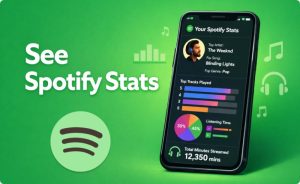

Spotify Stats Website: Track Your Listening Habits 2026

A Spotify stats website lets you dig deep into your music data any time of year — not just when Spotify Wrapped drops in December.
Whether you want to see your top artists from the last four weeks, measure how many minutes you’ve spent streaming, discover your most obscure musical tastes, or generate a shareable visual of your listening habits, there is a dedicated tool built exactly for that.
In 2026, the ecosystem of third-party Spotify analytics platforms is richer than ever. From data-dense trackers like Stats.fm and Trackify to visual generators like Receiptify and Spotify Pie, this guide covers every major option, how they work, and which one is right for you.
Why You Need a Spotify Stats Website in 2026
Spotify’s native app shows you recently played songs, personalized playlists, and your Wrapped summary once a year. That’s it. You can’t see how many times you’ve streamed a specific song, how your taste has shifted month to month, or how your genres compare to listeners in other countries.
Third-party Spotify stats websites fill that gap entirely. They connect to Spotify’s official API using OAuth login — meaning you grant read-only access to your listening history without sharing your password — and then surface data the native app deliberately hides.
The demand for these tools has exploded. With over 675 million Spotify users worldwide in 2026 and Spotify Wrapped becoming a major cultural event every December, the appetite for year-round listening insight has driven dozens of independent developers to build increasingly sophisticated analytics platforms.
How Spotify Stats Websites Work
Every legitimate Spotify stats website uses Spotify’s official Web API. When you click “Login with Spotify,” you’re redirected to Spotify’s own authorization page where you grant specific permissions — typically read-only access to your top artists, top tracks, recently played history, and playlists.
The tool never sees your password. It receives a temporary access token that lets it pull data directly from Spotify’s servers. Your stats are generated in real time from that API data, which means what you see is always based on Spotify’s own calculations.
Most tools request only the minimum permissions needed. The standard scopes are user-top-read (your top artists and tracks), user-read-recently-played (your recent listening history), and playlist-modify-public (only if the tool offers playlist creation features). You can revoke access to any third-party app at any time through your Spotify account settings at spotify.com/account/apps.

The Best Spotify Stats Websites in 2026
1. Stats.fm (stats.fm)
Stats.fm is the most feature-complete Spotify stats website available in 2026. It started as Spotistats and has evolved into a full music analytics platform with both a web version and mobile apps for iOS and Android.
The free tier gives you access to top tracks, top artists, top genres, and recently played songs across four time ranges: last four weeks, last six months, lifetime, and a custom date range. The premium tier unlocks stream count tracking, minutes listened, extended history going beyond Spotify’s 50-item API limit, and detailed per-song analytics.
Stats.fm also lets you follow friends and compare your music taste side by side — a social layer that no other tool replicates as effectively. If you want the single most comprehensive Spotify stats website, this is it.
| Feature | Free | Premium |
|---|---|---|
| Top 50 artists / tracks | ✓ | ✓ |
| Custom date ranges | ✓ | ✓ |
| Stream counts | ✗ | ✓ |
| Minutes listened | ✗ | ✓ |
| Extended history (999+) | ✗ | ✓ |
| Friend comparisons | ✓ | ✓ |
| Import listening history | ✗ | ✓ |
2. Trackify (trackify.am)
Trackify is marketed as the number one Spotify stats tool for a reason — it surfaces data that no other free tool shows as cleanly. Its headline feature is exact play counts and listening time, accessible without the data import requirements that Stats.fm premium needs.
Founded in the UK and GDPR/CCPA compliant, Trackify lets you view your top 999+ tracks and artists, see your precise listening time, and explore your stream count for individual songs. The interface is clean and fast, making it a go-to choice for users who want accurate numbers without navigating a complex dashboard.
For anyone who has ever wanted to know exactly how many times they’ve played a specific song, Trackify answers that question directly and immediately after a Spotify login.
3. Chosic Spotify Stats (chosic.com)
Chosic offers one of the most detailed free Spotify stats experiences available. Beyond the standard top artists and tracks, Chosic breaks your listening down into top genres, top sub-genres, top decades, and an overall mood analysis.
The mood analysis is particularly impressive. It scores your music on eight distinct dimensions: popularity, happiness, danceability, energy, acousticness, instrumentalness, liveness, and speechiness. This gives you a musical personality profile that goes far beyond a simple list of favorite songs.
Chosic also lets you save your top tracks directly to a new Spotify playlist and updates your stats daily. Everything on Chosic is free, and there are no paywalled features limiting your access to your own data.
4. Last.fm (last.fm)
Last.fm is the oldest and most established music tracking platform — it predates Spotify itself by years. It works by “scrobbling” — recording every song you play across Spotify, Apple Music, YouTube Music, and other services — and building a lifetime listening archive that never expires.
Unlike purely Spotify-focused tools, Last.fm aggregates your data across platforms. Your Last.fm profile shows your total scrobble count, all-time top artists, top albums, top tracks, and weekly listening charts going back years. You can see your listening history from 2005 if you’ve been using the platform that long.
The social layer on Last.fm is also unmatched. You can compare compatibility with friends, see who else listens to the same artists, and discover new music through community charts. For serious music listeners who want a permanent, cross-platform record of every song they’ve ever streamed, Last.fm remains the gold standard.

5. Volt.fm (volt.fm)
Volt.fm combines Spotify stats with a shareable music profile page — a permanent public or private URL that displays your listening history, favorite artists, top tracks, and listening trends in a visually polished format.
It shows play counts and minutes listened alongside standard top artist and track breakdowns. The profile design is clean enough to share directly as a music identity card — something that works well on social media bios, Discord profiles, and music community platforms.
Volt.fm updates in real time and requires only a standard Spotify login. It’s a particularly good choice for users who want both personal analytics and a presentable public music profile.
6. Receiptify (receiptify.herokuapp.com)
Receiptify is a viral social sharing tool disguised as a Spotify stats website. It generates a fake grocery receipt showing your top 10 tracks, artists, or genres over the last month, six months, or all time. The receipt format is instantly recognizable and endlessly shareable on Instagram, TikTok, and Twitter.
Beyond the basic receipt, Receiptify lets you choose between top tracks, top artists, top genres, and an audio stats receipt showing your music’s tempo, happiness, and energy profile. You can customize the receipt name and add favorite songs to personalize the output.
The generated image downloads in seconds with no ads. Works with both Spotify and Last.fm logins. Receiptify is not a deep analytics tool — it’s a social snapshot generator — but its viral format makes it one of the most-used Spotify data tools on the internet.
7. Obscurify (obscurifymusic.com)
Obscurify measures how unique and underground your musical taste is compared to other users on the platform. After logging in with Spotify, it calculates an obscurity percentage based on the mainstream popularity scores of your top artists and tracks.
Beyond the obscurity score, Obscurify provides mood metrics — happiness, danceability, energy, and acousticness — and a breakdown of your listening by decade. It also stores your data so you can return weeks later and compare how your taste has shifted.
The social bragging-rights angle makes Obscurify one of the most shared Spotify tools. Getting a high obscurity score has become a badge of honor in music-focused communities, making this one of the most culturally resonant Spotify stats websites in use today.
8. Spotify Pie (huangdarren1106.github.io)
Spotify Pie was created by UCLA student Darren Huang and became one of the most viral Spotify stat tools of the last few years. It takes your recent listening history and turns it into a color-coded pie chart showing your genre breakdown for the past month.
The output is visually immediate and highly shareable. Below the pie chart, the tool lists your most frequently listened genres and your top artists of the month. It’s simple, fast, and produces one of the most recognizable Spotify data visualizations that circulates on social media.
Spotify Pie is completely free and requires only a standard Spotify API login. It’s not a deep analytics tool — there are no historical comparisons or minute counts — but as a quick visual snapshot of your current music taste, nothing generates a cleaner single image.
9. Icebergify
Icebergify takes your top 50 artists from recent, intermediate, and long-term listening periods and arranges them on an iceberg based on their mainstream popularity. The most well-known artists sit above the waterline. Your more obscure or underground picks sink to the lower tiers.
The iceberg format is an instantly recognizable internet meme, which makes Icebergify results highly shareable. It’s also genuinely useful for understanding where your taste sits on the mainstream-to-underground spectrum at a glance.
If you haven’t listened to artists in certain popularity tiers, those sections of the iceberg will be empty — which itself reveals interesting patterns about how concentrated or diverse your listening actually is.
10. Spotifytrack.net
Spotifytrack.net is a tracking-focused tool that records changes in your listening preferences over time. Unlike most tools that only show you current stats, Spotifytrack logs your top artists and tracks each time you visit and builds a historical record of how your taste evolves.
This longitudinal tracking is the key differentiator. You can see exactly when a new artist entered your top 50, how long they stayed, and when they dropped out. For music fans who are curious about the arc of their own taste rather than just a snapshot, Spotifytrack fills a unique niche.

Full Comparison Table: Best Spotify Stats Websites 2026
| Tool | Best For | Free? | Shows Play Counts | Social Sharing | Time Ranges |
|---|---|---|---|---|---|
| Stats.fm | All-in-one analytics | Free + Premium | Premium only | Yes | 4 weeks, 6 months, lifetime, custom |
| Trackify | Exact stream counts | Free + Premium | Yes | No | Multiple |
| Chosic | Mood + genre depth | 100% free | No | Screenshot | 4 weeks, 6 months, all time |
| Last.fm | Lifetime cross-platform | Free + Pro | Yes (scrobbles) | Yes | All time + weekly |
| Volt.fm | Shareable profile | Free | Yes | Yes (profile link) | Multiple |
| Receiptify | Social sharing / viral | 100% free | No | Yes (image download) | Month, 6 months, all time |
| Obscurify | Obscurity score + mood | 100% free | No | Yes (link) | Recent |
| Spotify Pie | Genre pie chart | 100% free | No | Yes (image) | Last month |
| Icebergify | Popularity iceberg | 100% free | No | Yes (image) | Multiple |
| Spotifytrack.net | Taste tracking over time | Free | No | No | Historical |
What Data Can You Actually See on a Spotify Stats Website?
The Spotify API exposes several categories of listening data that third-party tools can access and present. Understanding what’s available helps you choose the right tool for your specific interest.
Top Artists — Your most-listened-to artists calculated across three official Spotify time ranges: the past four weeks, the past six months, and all time (since your account was created). Most tools show the top 50, and premium tiers on some platforms extend this to 999+.
Top Tracks — Your most-played individual songs across the same three time ranges. Spotify weights both frequency of plays and recency when calculating these rankings. A song you played 100 times last month ranks higher than one you played 200 times two years ago.
Recently Played — Your last 50 streamed songs with timestamps. This is the shortest-window data Spotify makes available through the API. Tools like Stats.fm and Spotifytrack work around this limitation by logging your history over time.
Top Genres — Derived from the genre tags associated with your top artists, not from individual songs. This means a genre you’ve never thought of yourself as a fan of might appear if multiple artists in your top list are tagged with it.
Audio Features — Spotify calculates acoustic properties for every track in its catalog: danceability, energy, loudness, speechiness, acousticness, instrumentalness, liveness, valence (musical happiness), and tempo. Tools like Chosic and Obscurify aggregate these across your top tracks to create a mood profile of your listening taste.
How to Check Your Spotify Stats Right Now
Accessing any Spotify stats website takes about 30 seconds. The process is identical across every legitimate tool:
Step one — open the tool in your browser (desktop or mobile browser both work). Step two — click the “Login with Spotify” button. You’ll be redirected to Spotify’s own secure login page. Step three — review the permissions the tool is requesting and click “Agree.” Step four — you’ll be returned to the tool with your data already loading.
Your stats appear almost immediately for most tools. The only exception is Trackify and Stats.fm premium features, which may take a moment longer to calculate exact stream counts from extended history.
You don’t need the Spotify app open. You don’t need a premium Spotify subscription. Any Spotify account — free or paid — can use every tool on this list.
How to Revoke Access to a Spotify Stats Website
If you ever want to disconnect a third-party tool from your Spotify account, the process is simple and takes under a minute.
Go to spotify.com in your browser, log in, and navigate to Account → Apps. You’ll see a full list of every third-party application that currently has access to your Spotify data. Click “Remove Access” next to any tool you no longer want connected. That immediately invalidates the tool’s access token and prevents any further data pulls.
This is worth doing periodically as a privacy maintenance habit, especially if you’ve tested several tools over the years and no longer use some of them actively.
Are Spotify Stats Websites Safe?
Every tool on this list uses Spotify’s official OAuth 2.0 authorization system. Your Spotify password is never shared with or visible to any third-party tool — ever. The login process goes directly through Spotify’s own servers.
The permissions these tools request are read-only. They can see your listening data but cannot make changes to your account, access your payment information, control playback, or delete anything. The exception is tools that offer playlist creation features — those request an additional playlist-modify permission, but even this only allows creating new playlists, not deleting or modifying existing ones.
The biggest legitimate privacy consideration is data retention — what does the tool store about you and for how long? Tools like Trackify explicitly state they are GDPR and CCPA compliant, meaning European and California privacy laws govern their data handling. Stats.fm and Last.fm also have published privacy policies. For any tool without a clear privacy policy, be more cautious.

Spotify Wrapped vs Third-Party Stats Websites
Spotify Wrapped launches every year in early December and gives you a curated year-in-review for the period from January through October of that year. It’s beautifully designed, easy to share, and culturally enormous — but it has real limitations.
Wrapped only covers approximately 10 months of each calendar year. You can’t drill down into specific months or custom date ranges. You can’t see how many times you played a specific song. You can’t compare your taste to previous years in the native experience. And most frustratingly, once the Wrapped feature disappears from the app’s homepage, your data is gone until next December.
Third-party Spotify stats websites exist precisely because Wrapped leaves so much on the table. They give you Wrapped-level insight year-round, with more granular data, more flexible time ranges, and more sharing options than the official product provides.
| Feature | Spotify Wrapped | Stats.fm | Chosic | Receiptify |
|---|---|---|---|---|
| Available year-round | ✗ | ✓ | ✓ | ✓ |
| Custom date ranges | ✗ | ✓ | ✗ | ✗ |
| Play counts | ✗ | Premium | ✗ | ✗ |
| Mood analysis | Partial | ✓ | ✓ | Partial |
| Social sharing | ✓ | ✓ | Screenshot | ✓ |
| Free access | ✓ | ✓ | ✓ | ✓ |
| Genre breakdown | ✓ | ✓ | ✓ | ✓ |
| Decade breakdown | ✗ | ✗ | ✓ | ✗ |
SERP Analysis: Keyword Strategy for Spotify Stats Website
Understanding what top-ranking competitor pages use for this keyword helps build the most authoritative resource for searchers.
| Keyword Category | Examples Used by Competitors |
|---|---|
| Primary keyword | Spotify stats website, Spotify statistics website |
| Tool names | Stats.fm, Chosic, Last.fm, Receiptify, Trackify, Obscurify, Volt.fm, Spotify Pie, Icebergify |
| Feature terms | top artists, top tracks, most listened songs, listening history |
| Data terms | stream count, minutes listened, scrobbles, audio features, play count |
| Mood/genre terms | danceability, energy, acousticness, valence, genres, sub-genres, decade breakdown |
| Intent variations | how to see Spotify stats, check Spotify listening habits, view Spotify data |
| Comparison terms | Spotify Wrapped alternative, better than Wrapped, year-round stats |
| Safety terms | Spotify API, OAuth, safe third-party tools, revoke access |
| LSI/NLP terms | Spotify Web API, time range, four weeks, six months, all time, personalized |
Top-ranking competitor pages for this keyword average 1,800–3,500 words. They use H2/H3 headings for each tool, include comparison tables, explain how the API works, and address safety concerns. Readability targets Grade 7–9 — accessible and conversational without being simplistic. Most pages repeat the primary keyword 8–14 times organically.
Frequently Asked Questions
What is the best Spotify stats website in 2026?
Stats.fm is the most comprehensive overall, while Chosic is the best fully free option. Receiptify is best for social sharing and Trackify is best for exact play counts.
Are Spotify stats websites safe to use?
Yes. All legitimate tools use Spotify’s official OAuth login, meaning your password is never shared. They only access read-only listening data with your explicit consent.
Can I see my Spotify stats without waiting for Wrapped?
Yes. Third-party Spotify stats websites like Stats.fm, Chosic, and Receiptify let you view your top artists, tracks, and genres any time of year — not just in December.
How do Spotify stats websites access my data?
They connect via Spotify’s official Web API using OAuth 2.0 authorization. You grant read-only access through Spotify’s own login page and can revoke it at any time.
What time ranges can I see on a Spotify stats website?
Most tools offer three standard ranges: the last four weeks, the last six months, and all time. Stats.fm premium adds fully custom date range selection.
Can I see how many times I played a specific song on Spotify?
Yes, but only through premium tools. Trackify and Stats.fm premium both show exact play counts per song. The free Spotify app and most free tools do not display this data.
How do I disconnect a Spotify stats website from my account?
Go to spotify.com → Account → Apps and click “Remove Access” next to any tool. This immediately revokes the tool’s permission to access your data.
Does using a Spotify stats website require Spotify Premium?
No. Every tool on this list works with a free Spotify account. You only need a Spotify login — free or paid — to access your listening data through third-party tools.
What is Spotify Pie and how does it work?
Spotify Pie is a free tool that turns your monthly genre listening data into a color-coded pie chart. Log in with Spotify, and it instantly generates a shareable image showing your genre breakdown.
What is the difference between Stats.fm free and premium?
The free tier shows top 50 artists, tracks, and genres across standard time ranges. Premium unlocks exact stream counts, minutes listened, extended history beyond 50 items, and importable Spotify data history.
Conclusion
A Spotify stats website gives you the listening insight that Spotify itself keeps locked away — stream counts, mood profiles, genre deep-dives, obscurity scores, and year-round Wrapped-style summaries you don’t have to wait until December to see.
In 2026, the best options cover every type of listener. Stats.fm serves data obsessives with the deepest analytics suite available. Chosic delivers mood and genre depth completely for free.
Receiptify and Spotify Pie give casual users a beautiful shareable snapshot in seconds. Obscurify and Icebergify turn your data into conversation-starting comparisons.
Last.fm builds the definitive lifetime record of everything you’ve ever listened to. Every tool on this list uses Spotify’s official API with read-only access that you fully control.
Pick the one that matches what you want to know about your musical self, log in, and start exploring the data you’ve been generating all year without realizing it.