

How to Test an AI Video Generator When the Phone Is Already Muted
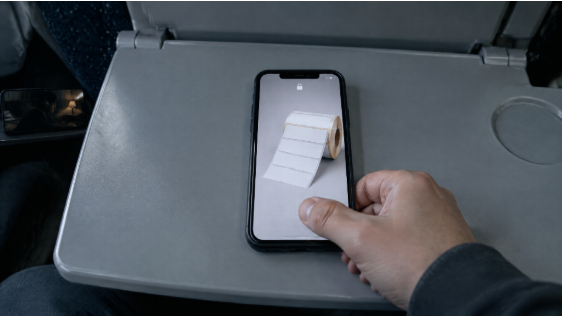
Most AI video gets a pass in a quiet room, full screen, sound on, someone staring. It then ships into a feed where the thumb is already moving and the phone is often silent. That gap is the test. If the clip only makes sense after a voice explains it, the generate failed. Score the file as silent visual communication first. Treat audio as a later coat of paint, not as the proof.
You do not need a menu of eight models to learn that. You need a brief that names a visible action, a generate that can hold the object, and a review that happens at feed size with the volume down.
Two jobs. A plugin keeps the viewing conditions in the agent you already type in. A video model holds a timed take you can actually mute-test. Do not rank a plugin against a video model as two “AI video generators.”
Design for the feed that will ignore the speaker
A silent pass shows what a soundtrack would have covered. The subject arrives late. The first frame is a poster with no reason to wait. A hand points off-crop. The motion only works after someone narrates it. None of that is fixed by a more dramatic cue.
Write the publishing conditions before the prompt. Vertical or landscape. Where the UI will sit. How large the product has to be in a small preview. How many seconds the action has to become obvious. Those are not style names. They are the test.
A brief you can fail is useful. “The lid opens and the pack stays centered” is visible. “Make an engaging reveal” is not. Engagement is a hope. The lid is a shot.
Give the first second one job. A rotation far enough to show a feature. A before still giving way to an after. One change. Image-to-video already has composition from the JPEG. Motion should reveal something the still cannot. Shaking every edge only proves the file is no longer a photo.
Watch the opening once at feed size. If you replay it to find the SKU, the first second has too many jobs or too little contrast. Fix the source. Do not generate a batch.
Keep the brief still. Change only the take.
If you try another route, freeze the still, the action, the ratio, and the acceptance question. Otherwise you are comparing unrelated films. Record the first failed condition, not “bad quality.” “The bottle vanishes in the small preview” tells you whether to recrop, reshoot the still, or simplify the move.
Approve a clip for a named placement. A square that keeps the product may kill a hand demo in 9:16. A 16:9 page hero can die inside a mobile card. Run the check again after captions, logos, and safe margins. Furniture eats the frame you thought had passed.
Count accepted placements, not files in the downloads folder. Ten pretty drafts that all fail the crop are not progress. Archive the pass and one informative fail. Keeping every output hides why the cut won.
A marketing or social team still owns posting and rights. Software replaces the afternoon you would have spent scoring vibes in a cinema player. It does not replace a colleague who did not write the brief. Their first look is closer to the feed than your tenth replay.
Hold the test next to the sentences you already typed
The leak is the empty generator tab. You already know the crop, the “product stays in frame,” the mute rule — in Codex, Cursor, or Claude Code. Then a new workspace asks you to start with “cinematic.”
An AI video plugin is not a Chrome add-on and not a talking-head mill. Copy the install prompt from the plugin page. Finish OAuth. Ordinary ChatGPT web chat will not take that path — use Codex if that is the ChatGPT-side agent you have. Unlimited seats that block automation are the wrong door.
Agent keeps the acceptance question. A canvas holds the takes so chat history is not the studio. If the brief is not in an agent, write the mute test on paper and open a browser generator. Do not buy a plugin to feel modern.
Generate a clock you can fail with the sound off
Once the question is written, you still need a take that lasts long enough to judge. A three-second sticker cannot hold a lid opening. Stitching orphans is how the cap changes colour between cuts.
Seedance 2.5 is a multimodal model for about four to thirty seconds from text plus image, video, and audio references, with timing you can write in seconds. Hosted export is typically 1080p-class, not a 4K poster. Attach the still. Say 9:16 or 16:9 in the same note.
“0–3s the same packshot, readable at phone size; 3–12s the lid opens, object stays centered; 12–20s hold for a caption I will type — no extra hands, no new room, no voice required to know what this is.” If second eighteen grows jewellery, the folder is wrong. Fail it muted. Do not rescue it with a voiceover.
Captions you approve still beat auto-subtitles you did not read. Generated faces are not testimonials. Credits are studio time. Native sound in a model is a later review: does it agree with the picture. It is not a pass if the silent file is a blur.
How to choose without a full-screen player
Skip the score for “it feels like a film.” Ask four questions. Can I name one visible action in the first second. Can I watch it muted, small, and cropped without losing the object. Can I keep that test in the same place as the brief. Will someone who did not write the prompt look once.
If the first two answers are no, you have a demo for a quiet room. Fine for a concept. Weak for a feed.
Mute the phone. Shrink the preview. Watch once without pausing. Stay in the plugin when the viewing rules are already in the agent. Call Seedance 2.5 when the take has to last as a scene you can fail in silence. Keep the file that survives. Change the visual idea before you spend another hour on sound.