Greater Than or Equal to Sign: Tips for Solving Math Problems 2026
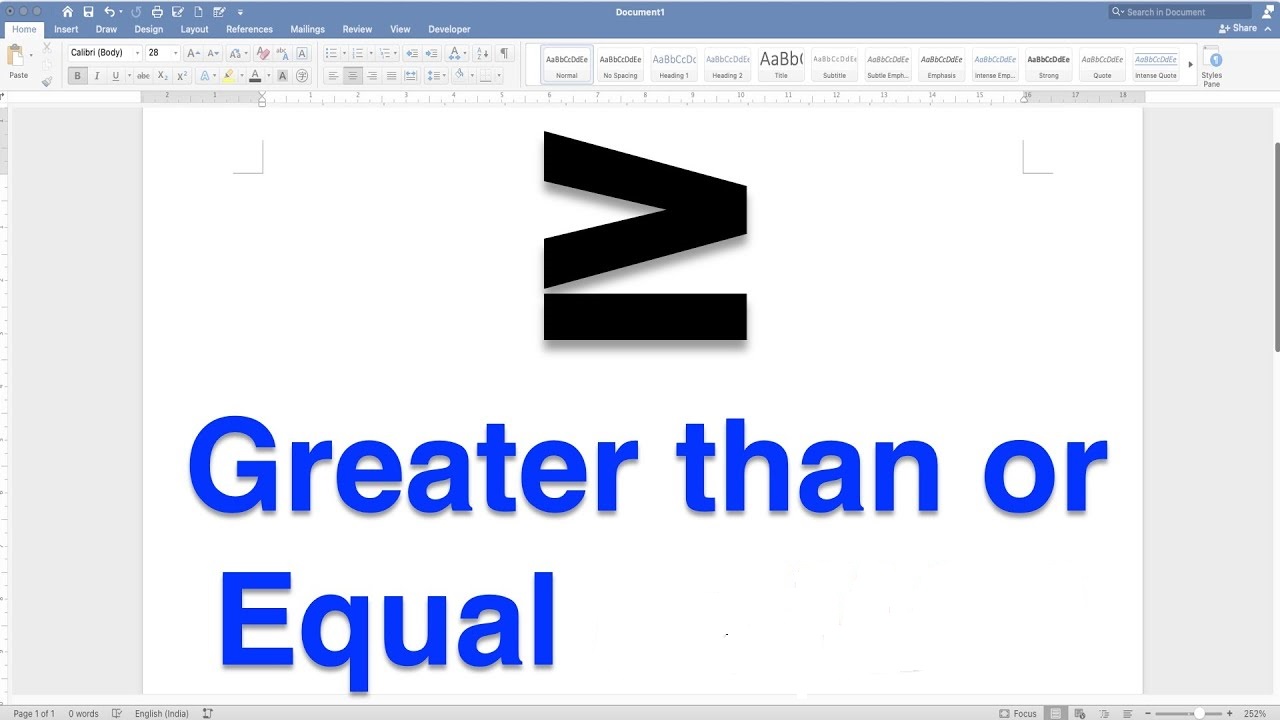
The greater than or equal to sign (≥) is one of the most important symbols in mathematics.
It tells you that a value is either larger than or exactly the same as a given number. Students use it daily in algebra, inequalities, and real-world problem-solving.
Yet many people struggle with how to read it, write it, type it, and use it correctly in equations.
What Is the Greater Than or Equal to Sign?
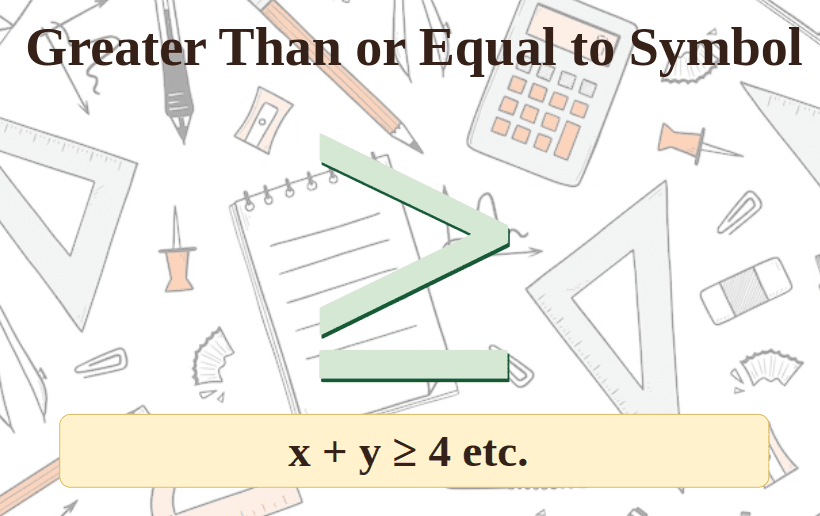
The greater than or equal to sign is written as ≥. It is a mathematical inequality symbol used to compare two values or expressions.
It combines two ideas into one symbol — “greater than” (>) and “equal to” (=). When you see ≥, it means the left side is either bigger than or exactly equal to the right side.
For example, x ≥ 5 means x can be 5, 6, 7, 100, or any value above 5. It cannot be 4 or less.
The Symbol: What Does ≥ Look Like?
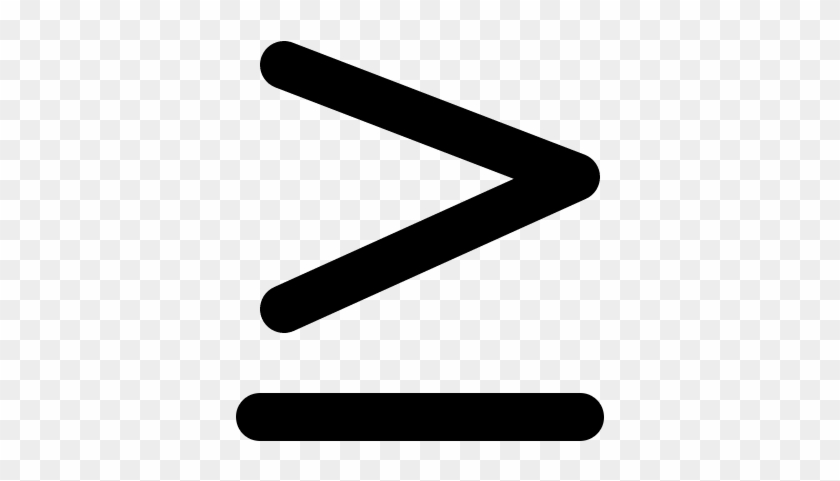
The ≥ symbol looks like the standard greater than sign (>) with a flat horizontal line added below it.
The line underneath represents the “equal to” part. Without the line, > means strictly greater than. With the line, ≥ means greater than or equal to.
Think of it this way — the sleeping line at the bottom is equality resting underneath the comparison.
History and Origin of the Greater Than Sign
The greater than sign (>) was first recorded in 1631 in a book called Artis Analyticae Praxis by English mathematician Thomas Harriot. According to historian Art Johnson, Harriot was inspired by a Native American symbol he encountered while surveying North America.
The greater than or equal to version (≥) came later as mathematics expanded into the field of inequalities and algebraic analysis. It is now a standard symbol recognized across all mathematical systems worldwide.
The equal sign (=) itself was introduced even earlier by Welsh mathematician Robert Recorde around 1557, who explained that no two things are more equal than two parallel lines.
Greater Than or Equal to Sign: Unicode and Technical Details
| Property | Value |
|---|---|
| Symbol | ≥ |
| Name | Greater Than or Equal To |
| Unicode | U+2265 |
| HTML Entity | ≥ |
| LaTeX Command | \geq |
| Alt Code (Windows) | Alt + 242 |
| Mac Shortcut | Option + > |
| ASCII Equivalent (Programming) | >= |
This table gives you every technical reference you need across different platforms and systems.
How to Read the Greater Than or Equal to Sign
Reading ≥ correctly in math problems helps you understand what the expression is saying.
x ≥ 10 is read as “x is greater than or equal to 10.”
You can also read it as “x is at least 10” — both mean the same thing.
Here are common ways people read the ≥ symbol:
- “Greater than or equal to”
- “At least”
- “No less than”
- “Minimum of”
All four phrases describe the same mathematical relationship. Picking the right wording depends on the context of your problem.
Greater Than or Equal to vs Greater Than: Key Difference
Many students confuse > and ≥. The difference is critical when solving math problems.
| Symbol | Meaning | Example | Does it include the boundary value? |
|---|---|---|---|
| > | Strictly greater than | x > 5 means x = 6, 7, 8… | No |
| ≥ | Greater than or equal to | x ≥ 5 means x = 5, 6, 7… | Yes |
| < | Strictly less than | x < 5 means x = 4, 3, 2… | No |
| ≤ | Less than or equal to | x ≤ 5 means x = 5, 4, 3… | Yes |
The key rule: when the symbol has a line underneath, the boundary value is included in the solution set.
All Four Inequality Symbols at a Glance
Mathematics uses four main inequality symbols. Understanding all four helps you work with the greater than or equal to sign much more effectively.
- Greater than (>): The left value is strictly larger than the right value. Example: 9 > 4.
- Less than (<): The left value is strictly smaller than the right value. Example: 3 < 7.
- Greater than or equal to (≥): The left value is larger than or equal to the right value. Example: x ≥ 0.
- Less than or equal to (≤): The left value is smaller than or equal to the right value. Example: y ≤ 100.
The wide-open side of each symbol always faces the larger number. This is the golden rule for reading inequality symbols correctly.
The Alligator Method: Easiest Trick to Remember
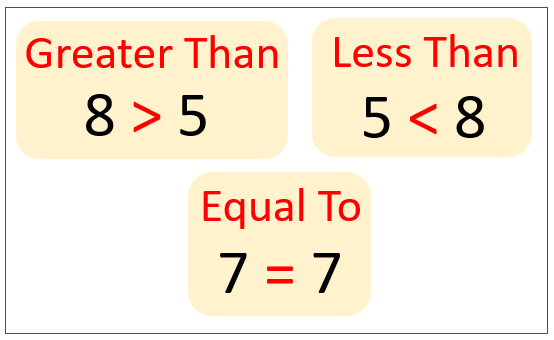
The alligator (or crocodile) method is the most popular trick for remembering inequality symbols. Imagine the symbol is an open mouth — it always opens toward the bigger number to “eat” it.
For ≥, the open side faces left, meaning the left number is bigger than or equal to the right.
This method works especially well for younger students in grades 1 through 5 who are just learning how to compare numbers for the first time.
How to Use the Greater Than or Equal to Sign in Inequalities
Inequalities are math statements where two expressions may not be equal. The greater than or equal to sign is used when a variable can take a range of values starting from a minimum.
Simple inequality: x ≥ 3
This means x can be 3, 4, 5, 6, and so on, continuing to infinity.
Two-sided inequality: 3 ≤ x ≤ 10
This means x is at least 3 and at most 10. Both boundaries are included.
Algebraic inequality: 2x + 1 ≥ 7
To solve: subtract 1 from both sides → 2x ≥ 6 → divide by 2 → x ≥ 3.
Step-by-Step: Solving Inequalities with ≥
Solving inequalities with the greater than or equal to sign follows the same rules as solving equations, with one important exception.
Step 1: Perform the same operations on both sides (add, subtract, multiply, divide).
Step 2: Keep the inequality sign pointing the same direction — unless you multiply or divide by a negative number.
Step 3: When you multiply or divide both sides by a negative number, flip the inequality sign. ≥ becomes ≤.
Example: Solve –2x ≥ 8
Divide both sides by –2 (flip the sign): x ≤ –4
This is a rule many students forget and it leads to wrong answers.
Worked Examples Using the Greater Than or Equal to Sign
Example 1: Basic Comparison
Is 15 ≥ 12 true?
Yes. 15 is greater than 12, so the statement is true.
Example 2: Variable Expression
Solve: x + 4 ≥ 9
Subtract 4 from both sides: x ≥ 5
Solution: x can be 5 or any number greater than 5.
Example 3: Multiplication
Solve: 3x ≥ 18
Divide both sides by 3: x ≥ 6
Solution: x = 6, 7, 8, 9… and so on.
Example 4: Negative Division (Sign Flip)
Solve: –5x ≥ 25
Divide both sides by –5 (flip the sign): x ≤ –5
Solution: x can be –5, –6, –7, –8… and so on.
Example 5: Real-World Problem
A store policy states prices must be $50 or more. Write this as an inequality.
Price ≥ $50
This means any price from $50 upward satisfies the condition.
Representing ≥ on a Number Line
A number line gives a visual picture of what a ≥ inequality means.
Rules for plotting ≥ on a number line:
- Draw a closed (filled) circle at the boundary value. A closed dot means the value is included.
- Shade all numbers to the right of that point, continuing toward positive infinity.
For x ≥ 3: place a filled dot at 3, shade everything to the right.
Compare with x > 3: place an open (empty) circle at 3, shade to the right. The open circle shows 3 is NOT included.
This is one of the most tested concepts in middle school and high school math.
Greater Than or Equal to in Algebra and Linear Programming
In algebra, ≥ is used constantly when working with inequalities and constraint problems.
In linear programming, ≥ is used to set minimum constraints. For example, a factory must produce at least 200 units a day, so: Units ≥ 200.
These constraints define a feasible region on a graph. Any point inside that region satisfies all the inequalities in the problem.
Linear programming is used in business, economics, engineering, and operations research — making ≥ a symbol with significant real-world power.
Greater Than or Equal to in Geometry
The ≥ symbol also appears in geometry, especially when comparing angles, side lengths, and measurements.
- Triangle inequality: The length of any side of a triangle must be greater than the difference and less than the sum of the other two sides.
- Angle comparisons: In a triangle, the largest angle is opposite the longest side — angle A ≥ angle B when side a ≥ side b.
- Minimum length problems: A wire must be at least 10 cm. Written as: length ≥ 10 cm.
Greater Than or Equal to in Calculus
In calculus, ≥ appears in limit definitions, domain restrictions, and inequalities involving functions.
- Domain example: For f(x) = √x, the domain requires x ≥ 0, since you cannot take the square root of a negative number in real numbers.
- Limit expressions: When a function approaches a value from the right, the condition is x ≥ a.
- Optimization: Maximum and minimum value problems frequently use ≥ to define feasible ranges for variables.
Real-Life Applications of the Greater Than or Equal to Sign
The ≥ symbol is not just a classroom concept. It appears in everyday situations constantly.
| Real-Life Situation | Inequality Expression |
|---|---|
| Minimum age to vote (18 years) | Age ≥ 18 |
| Minimum wage per hour ($15) | Wage ≥ $15 |
| Passing score on a test (60%) | Score ≥ 60% |
| Minimum order quantity (100 units) | Units ≥ 100 |
| Speed limit (minimum on highway) | Speed ≥ 45 mph |
| Height requirement for a ride (48 inches) | Height ≥ 48 inches |
| Water temperature for safe swimming | Temp ≥ 70°F |
| Package weight for free shipping | Weight ≥ 2 lbs |
Every time a rule says “at least,” “minimum,” or “no less than,” the ≥ symbol can represent it mathematically.
How to Type the Greater Than or Equal to Sign (≥) on Every Platform
One of the most-searched questions about this symbol is simply: how do I type it? Here is a complete platform-by-platform breakdown.
Windows (Using Alt Code)
Hold down the Alt key and type 242 on the numeric keypad, then release Alt. The ≥ symbol appears immediately.
Num Lock must be turned ON for this to work. This method works in Excel, Notepad, Word, and most Windows apps.
Windows (Alternative Alt Code)
Some systems use Alt + 8805 (typing 8805 on the numeric keypad). If Alt + 242 does not work, try this version instead.
Microsoft Word (Unicode Method)
Type 2265, then press Alt + X without moving the cursor. Word instantly converts 2265 into the ≥ symbol.
This only works in Microsoft Word and Outlook — not in Excel or PowerPoint.
Mac
Press Option + > (hold Option and press the greater than key, which is Shift + period). This works in all Mac applications without any setup.
Google Docs
Go to Insert → Special Characters. Search for “greater than or equal to” in the search box and double-click the symbol to insert it.
You can also draw the symbol in the drawing pad — Google Docs will recognize it and suggest the correct character.
LaTeX
Type \geq in your LaTeX document. This produces the ≥ symbol correctly formatted for academic papers and mathematical typesetting.
HTML
Use ≥ in HTML code to display the ≥ symbol on a webpage. Alternatively, use the numeric code ≥.
Programming Languages
In coding, use >= (two characters: greater than sign followed by equals sign). Do not use the Unicode ≥ symbol in code — programming language parsers expect >= and will not recognize ≥ as equivalent.
| Language | Operator | Example |
|---|---|---|
| Python | >= | if x >= 0: |
| JavaScript | >= | if (x >= 10) |
| Java | >= | if (age >= 18) |
| C / C++ | >= | if (score >= 60) |
| SQL | >= | WHERE price >= 100 |
| Excel Formula | >= | =IF(A1>=50,”Pass”,”Fail”) |
Mobile Devices (iOS and Android)
The easiest method on mobile is to copy and paste ≥ from a source like this article.
On iOS, go to Settings → General → Keyboard → Text Replacement and map >= to ≥ for automatic substitution anywhere on your phone.
On Android, long-pressing the > key on some keyboards will reveal ≥ as an alternate character.
Quick Reference: All Typing Methods for ≥
| Platform | Method | Code/Shortcut |
|---|---|---|
| Windows | Alt Code | Alt + 242 |
| Windows | Alt Code (alternative) | Alt + 8805 |
| Microsoft Word | Unicode + shortcut | 2265 then Alt + X |
| Mac | Keyboard shortcut | Option + > |
| Google Docs | Special Characters menu | Search “greater than or equal” |
| LaTeX | Command | \geq |
| HTML | Entity code | ≥ or ≥ |
| Programming | ASCII operator | >= |
| iOS (system-wide) | Text Replacement | Map >= to ≥ in settings |
| Android | Long press | Long press > key |
Greater Than or Equal to Sign in Excel
Excel uses ≥ in two different ways depending on what you are doing.
In formulas (logical operator): Use the two-character version >= to make comparisons.
Example: =IF(A1>=50,”Pass”,”Fail”) — this checks if the value in A1 is at least 50.
As a display symbol: Use Alt + 242 to insert the actual ≥ character into a cell for display purposes. This version does not function as an operator in formulas.
Using COUNTIF with >=: =COUNTIF(A1:A10,”>=60″) counts how many values in the range are 60 or more.
Excel’s >= operator is one of the most frequently used tools in data analysis and conditional formatting.
Common Mistakes When Using the Greater Than or Equal to Sign
Students and professionals alike make recurring errors with the ≥ symbol. Knowing them helps you avoid them.
Mistake 1: Forgetting the boundary value is included. When you write x ≥ 5, the value 5 itself is part of the solution. Many students test only values above 5.
Mistake 2: Not flipping the sign when dividing by a negative number. If –3x ≥ 9, dividing by –3 means the answer is x ≤ –3, not x ≥ –3.
Mistake 3: Drawing an open circle instead of a closed one. On a number line, ≥ always uses a filled (closed) circle at the boundary. An open circle means > (strictly greater than).
Mistake 4: Confusing the direction of the symbol. The open side always faces the larger value. Writing 5 ≥ 10 is false — the open mouth would be facing the smaller number.
Mistake 5: Using ≥ in code. In Python, JavaScript, and other languages, you must use >= not ≥. Using the Unicode symbol in code will cause a syntax error.
Greater Than or Equal to in Statistics
In statistics, the ≥ symbol is used in hypothesis testing, probability, and data thresholds.
- Significance level: A result is statistically significant if the p-value ≥ 0.05 (or the test value crosses a threshold).
- Probability: P(X ≥ 3) means the probability that a random variable X takes a value of 3 or more.
- Sample size requirements: Many statistical tests require n ≥ 30 (a sample size of at least 30) for results to be valid.
Understanding ≥ in statistical contexts is essential for research, data science, and scientific reporting.
How ≥ Relates to Set Notation and Interval Notation
When you solve x ≥ 3, you can write the solution in multiple ways:
Inequality notation: x ≥ 3
Set notation: {x | x ≥ 3} — the set of all x such that x is greater than or equal to 3.
Interval notation: [3, ∞) — the square bracket [ means 3 is included; ∞ is always followed by a parenthesis since infinity is not a real endpoint.
Knowing all three forms is important because different math textbooks and teachers use different notation styles.
Summary: Key Facts About the Greater Than or Equal to Sign
- The ≥ symbol means “greater than or equal to” — the left side is at least as large as the right side.
- It is formed by adding a horizontal line under the greater than sign (>).
- Unicode is U+2265; Windows Alt code is Alt + 242; Mac shortcut is Option + >.
- In programming, always use >= instead of the Unicode ≥.
- The boundary value is always included when using ≥.
- On a number line, use a closed (filled) circle for ≥.
- Flip the inequality sign when multiplying or dividing both sides by a negative number.
- Real-world uses include minimum age, price floors, passing scores, and data thresholds.
Frequently Asked Questions (FAQs)
What does the greater than or equal to sign mean?
The ≥ sign means the left value is either larger than or exactly equal to the right value. For example, x ≥ 10 means x can be 10 or any number above it.
What is the symbol for greater than or equal to?
The symbol is ≥ — a greater than sign (>) with a horizontal line underneath it. The line represents the “equal to” part of the relationship.
How do I type the ≥ symbol on Windows?
Hold the Alt key and type 242 on your numeric keypad, then release Alt. Make sure Num Lock is turned on. In Word, you can also type 2265 and press Alt + X.
How do I type ≥ on a Mac?
Press Option + > on your Mac keyboard. This shortcut works in every Mac application and requires no setup or special tools.
What is the difference between > and ≥?
The symbol > means strictly greater than — the boundary value is NOT included. The symbol ≥ means greater than or equal to — the boundary value IS included in the solution.
How is ≥ used in programming?
In programming, use >= (two characters) instead of the Unicode symbol ≥. It works in Python, JavaScript, Java, SQL, and all major programming languages as a comparison operator.
What is the LaTeX code for greater than or equal to?
The LaTeX command is \geq — type it in any LaTeX document to produce the ≥ symbol. It is the standard notation used in academic and scientific papers.
How do I show ≥ on a number line?
Draw a filled (closed) circle at the boundary value, then shade all numbers to the right continuing toward positive infinity. A closed circle confirms the boundary number is included in the solution.
When do I flip the inequality sign with ≥?
Flip ≥ to ≤ when you multiply or divide both sides of the inequality by a negative number. For example, –2x ≥ 6 becomes x ≤ –3 after dividing by –2.
What are some real-life examples of greater than or equal to?
Minimum age requirements (age ≥ 18), passing grades (score ≥ 60%), minimum wages (pay ≥ $15/hour), and ride height requirements (height ≥ 48 inches) are all everyday examples of the ≥ symbol in action.
Conclusion
The greater than or equal to sign (≥) is far more than a classroom symbol. It is a universal mathematical tool used in algebra, geometry, calculus, statistics, programming, and everyday decision-making.
Understanding how to read it, write it, solve problems with it, and type it across different platforms gives you a significant advantage in math and in technical work.
Remember the key rules: the boundary value is always included, flip the sign when dividing by a negative number, use a closed circle on a number line, and always use >= in code instead of the Unicode character.
Whether you are a student solving your first inequalities or a professional working with data and formulas in 2026, mastering the ≥ symbol is a skill that pays dividends across every field that uses numbers.