How Can You Improve Your Smartphone’s Battery Lifespan?

Smartphone batteries, though powerful, degrade over time due to constant use and charging cycles. Extending the lifespan of your smartphone’s battery is crucial not only for its longevity but also for ensuring better performance. By following a few simple and effective practices, you can minimize battery wear and maximize its efficiency. In this article, we’ll explore practical tips that can help you extend your smartphone’s battery life, prevent unnecessary wear, and adopt healthy charging habits to get the most out of your device for as long as possible.
How Can You Extend Your Smartphone’s Battery Life?
Adjusting Screen Brightness and Timeout Settings
The screen is one of the biggest battery drains on smartphones. Reducing the brightness and setting your device to auto-brightness mode can help conserve power. Lowering the screen timeout, the time your screen stays active when not in use, can also save battery. Aim for a timeout of 30 seconds or less. These simple adjustments minimize power consumption without sacrificing functionality. Additionally, turning off features like animated wallpapers or high-resolution displays can further reduce the strain on your battery, allowing your phone to last longer between charges.
Managing Apps and Background Processes
Apps running in the background can consume significant power, even when you’re not actively using them. Regularly checking which apps are draining your battery and closing unnecessary ones can make a noticeable difference. On MagicOS, you can manage background app refresh settings to prevent apps from using power when not in use. Uninstalling apps that you no longer need or rarely use will also reduce the load on your device. Ensuring that apps are updated regularly can help improve their efficiency and reduce energy consumption.
Use Power Saving Modes Effectively
Most modern smartphones come with built-in power-saving modes designed to extend battery life. These modes typically limit background processes, reduce screen brightness, and disable non-essential features such as notifications and automatic syncing. Activating these modes when your battery is low can help you extend usage until you can charge your phone. Many devices also offer customizable power-saving options, allowing you to adjust settings based on your needs. Make use of these modes to optimize battery performance and prevent your device from running out of charge unexpectedly.
What Habits Can Help Prevent Battery Wear?
Charging Habits That Prolong Battery Health
Maintaining proper charging habits is key to prolonging battery health. Avoid letting your smartphone battery drop to 0% or consistently charging it to 100%. Ideally, keep your battery charge between 20% and 80%. This reduces the strain on the battery and helps preserve its overall lifespan. Additionally, charge your phone gradually instead of overnight charging, which can cause the battery to remain at full charge for extended periods, leading to wear. By charging your phone more frequently, but less intensely, you can significantly extend battery health.
Keeping Your Smartphone Cool
Heat is one of the major factors that degrade battery life. Keeping your smartphone cool can greatly prevent premature battery wear. Avoid using your phone extensively while it’s charging, as this can cause the device to heat up. Using a case that traps heat or exposing your phone to direct sunlight can also contribute to overheating. If you notice your phone becoming warm, it’s a good idea to give it a break to cool down. A cooler environment can help your smartphone’s internal components, including the battery, function more efficiently for a longer period.
Avoiding Extreme Temperatures
Extreme temperatures—both hot and cold—can have a detrimental effect on your smartphone’s battery. In hot conditions, batteries can degrade faster, and in cold environments, battery life can be drastically reduced. To avoid these issues, try not to leave your phone in places where temperatures fluctuate dramatically, such as in your car on a hot day or outdoors during winter. Storing your phone in a moderate, room-temperature environment will help maintain its battery health and performance over time.
What Are the Best Charging Practices for Longevity?
Avoid Overcharging and Deep Discharge
Overcharging and deep discharge are two harmful charging practices that can significantly shorten battery lifespan. Charging your phone to 100% and leaving it plugged in for extended periods keeps the battery in a high-stress state. Similarly, letting the battery drop to 0% frequently can also put unnecessary strain on the cells. To prevent this, charge your phone when it hits around 20%, and unplug it when it reaches 80-90%. This balanced approach reduces the stress placed on the battery and helps it last longer.
Using Quality Chargers
Using cheap, off-brand chargers can be harmful to your smartphone’s battery. Substandard chargers can cause overheating, overcharging, or inefficient charging, leading to faster battery degradation. Always opt for chargers from reputable manufacturers, ideally the one that came with your phone. If you need a replacement, ensure it meets the same specifications as your original charger to maintain the right voltage and current for your device. Investing in high-quality chargers ensures safer charging and helps preserve your battery’s health in the long term.
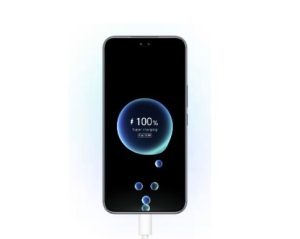
Wireless Charging vs. Wired Charging: What’s Better?
Both wireless and wired charging have their pros and cons. Wired charging is typically faster and more efficient, leading to less heat generation during the process, which is better for your battery. Wireless charging, on the other hand, may generate slightly more heat due to inefficiencies in power transfer, which can affect battery longevity over time. While wireless charging offers convenience, it may not be as ideal for long-term battery health compared to wired charging. However, if you primarily use your phone while charging wirelessly, try to ensure your charger is of high quality to minimize the heat generated.
Conclusion
Taking care of your smartphone’s battery involves making conscious decisions about charging habits, managing power-draining apps, and keeping your device at an optimal temperature. By adopting simple practices such as adjusting screen settings, avoiding extreme temperatures, and using quality chargers, you can significantly improve the longevity of your smartphone’s battery. Additionally, understanding the best charging practices, like avoiding deep discharge and overcharging, will keep your battery healthy for a longer time. With these tips, you can ensure that your smartphone’s battery remains efficient, helping you enjoy your device for as long as possible. Don’t forget to check out the HONOR 400 Pro Black Friday Offers for a great deal on a new phone that’s built to last!