
Clear One Premiere Face Then Run Seedance 3
Recap desks lose a week of work when a celebrity still grows a second guest the photographer never framed. Reply-guide pages and height roundups already run on one approved face. A hover that invents a plus-one turns that page into a rumor. Seedance 3.0 is only useful here if the motion keeps the same person and refuses to cast a new one.
The job is a short loop that sits next to a bio blurb and a list of replies, not a trailer. Readers compare the loop with the still above the fold. If the jawline drifts, or a shoulder becomes someone else, the comments fill with “that is not her.” The editor owns that bounce. Talent publicists do too.
Name The Face The Page Is Allowed To Show
A recap page usually has one cleared still: a premiere step-and-repeat, a talk-show grab, or a press still the publicist already approved. That file is the object. Everything else is optional. If the still shows one person, the loop may not add a date, a child, or a blurry body at the edge.
Editors already know this from crop fights. They kill a still that pulls in a second celebrity the story is not about. They kill a still that shows a brand the page did not clear. Motion makes the same mistake easier to miss, because the first frame can match the approved file while second three invents a companion.
Write the allowed face in the ticket before anyone opens a generator: legal name, outfit, and whether a logo on the backdrop may stay. If you cannot write that sentence, you do not have a still. You have a wish.

Pick A Still That Already Holds The Jawline
Soft grabs from a phone in a dark theater will smear. SeedVideo will not sharpen a legal identity that the source file does not contain. If the still is a three-quarter turn with hair over the mouth, fix the still or skip motion. A generator asked to “make the face clearer” will often invent a cleaner face that is not the same person.
Prefer a still where both eyes are visible and the ear or earring can be counted. Those landmarks are how a recap editor checks the last frame. A height-page still that already crops at the waist is better than a wide red-carpet shot full of other guests you will then have to mask.
Keep the still in the same folder as the slug. Recap weeks reuse files. Last month’s talk-show grab is a different outfit and a different clearance. Do not animate a January still for a June rumor. The publicist’s email is the clearance log. If that email names one photo, that photo is the only legal source, even if a better crop exists on a fan account.
Reply-guide pages make this worse because the still is tiny. A 200-reply roundup next to a 200-pixel avatar cannot hide a drifted mouth. Readers who came for the replies will still pause on the face. If the avatar is the only cleared file, leave it still. A six-second loop in a 200-pixel hole is how a jaw becomes someone else.
Run The Reference Workflow, Then Check The Ear
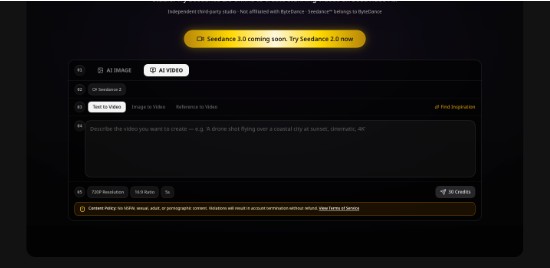
The live path on the workbench is Seedance 2.0 with a Reference to Video intake when you have a still that must survive. Image to Video is the same idea with a still as the only lock. Text to Video is the wrong door for a named person, because it has no photograph to obey.
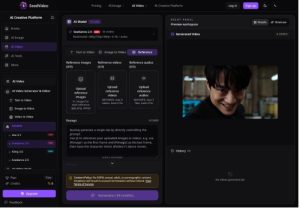
Keep the prompt to camera path: a slow push, a light slide, no new people, no new jewelry. Do not ask the model to “add her co-star” or “show the couple.” If the story is a couple, you need a still that already shows both, and a clearance for both.
A short check is enough. Seedance 2.0 Fast is listed at 2 credits per second. The standard Seedance 2.0 line sits near 1.9 credits per second. Use the cheap second to see whether the ear and the earring hold. Do not spend a hero render while the face is still drifting.
Lock Duration And Ratio Before You Write Adjectives
Set a short duration and the crop the page actually uses. A recap module is often a square or a 16:9 embed next to text. Generating a wide cinematic frame and then cropping the chin off is how editors invent a new face in the CMS. Match the module first. Adjectives can wait.
If the page is a reply-guide with a small avatar, you may not need motion at all. A still next to a long reply list already does the job. Motion is for the rare premiere recap that has to sit in a hero. Most reply pages should stay still. Height-and-age roundups belong in that same pile: the reader came for a number, not a hover.
When you do generate, keep one still per ticket. Mixing two premiere photos of the same person from two nights will produce a dress that never existed. Recap editors already fight that in still galleries. Motion does not get a pass.
Keep Audio Off Until The Face Survives
A whoosh or a cheer can hide a jaw that changes. Watch the file muted. Check the first frame, a midpoint, and the last hold against the approved still. If the mouth shape no longer matches the still’s rest pose, discard. Sound, if you need it, comes from a licensed bed after the face is honest.
Kill The File When A Second Guest Appears
The common error is a new person, not a blurry backdrop. A shoulder at the edge becomes a date. A backdrop logo becomes a second head. A hand that was the subject’s own hand becomes someone else’s.
Treat that as a hard reject. Recap pages get scraped. An invented plus-one will show up in a gossip aggregation by morning. The publicist will send a screenshot. The editor will spend the afternoon swapping the module back to the still and writing a note that should have been unnecessary. That afternoon is the cost. It is larger than the credits on the cheap check you skipped.
Comments that say “who is that next to her” are not engagement. They are a clearance problem the legal team will ask you to explain. Keep a discard folder named for the recap week so the next editor can see which prompts already grew a companion.
Compare Three Frames Against The Approved Still
Do not trust the preview thumbnail. Open the still and the clip side by side and mark three times: start, middle, end. Ask the same three questions each time:
- Is this the same jaw and the same ear?
- Did a second body enter the frame?
- Did jewelry, a logo, or a backdrop mark melt into a new object?
One failed question is enough to discard. Do not “fix it in color.” Color will not remove a guest.
Publish Only After The Module Crop Still Matches
Drop the survivor into the actual recap template before you call it done. The CMS crop is where chins disappear and earrings get cut. If the module crop changes the identity, go back to the still. Do not generate a new take just to fill a badly designed hole.
Paid exports on SeedVideo are watermark-free. That matters on a celebrity page that cannot show a vendor mark over a publicist still. It does not excuse a drifted face. A clean export of the wrong person is still the wrong person.
Write a one-line reason on every discard: “second shoulder,” “earring became a stud,” “jaw drifted at the last hold.” The next editor on the same recap week should not repeat the same prompt with a new adjective.
Skip Motion When The Still Is The Only Cleared File
Many recap weeks have one legal still and a pile of rumors. That is a still week. Seedance 3 cannot mint a second clearance. If the publicist sent one photo, publish one photo. If two people are in the story and only one is in the still, do not ask the model to invent the other.
Height pages and “age, career, relationship” roundups are the worst place to improvise. Those pages already attract nitpickers who pause on an earring. Give them the still. Save motion for a premiere recap that has a clean, single-subject file and a module that actually needs a loop.
Keep The Still When The Second Guest Arrives
SeedVideo can take a cleared premiere still and add a short camera move when the recap hero looks dead. It cannot cast. Editors who name the allowed face, run a cheap reference check, and throw away any file that grows a companion will not spend Friday explaining a date who was never on the carpet.
If the loop and the still disagree, keep the still. A quiet photo next to the blurb is a recap. A lively stranger is a correction and a publicist email.