Greater Than or Equal To Symbol Explained 2026
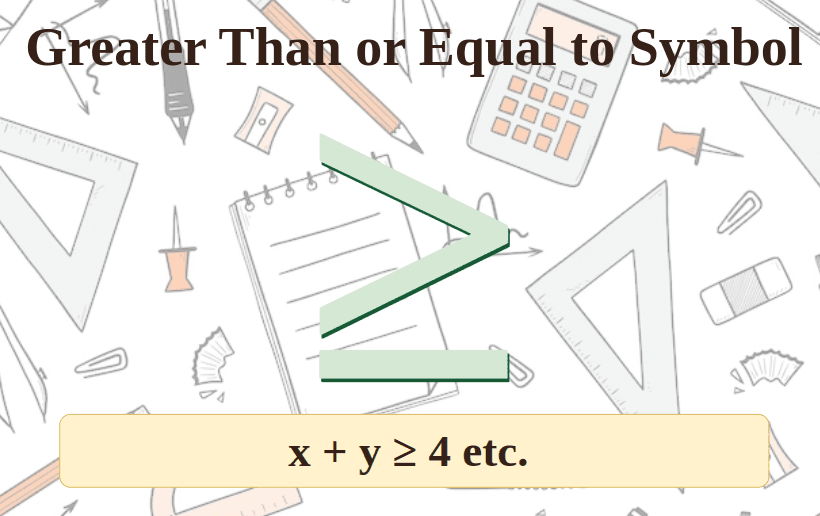
The greater than or equal to symbol (≥) is one of the most useful math symbols you will ever learn. It appears in algebra, programming, spreadsheets, and real-life decisions every single day.
Whether you are a student solving inequalities, a developer writing code, or someone trying to type the ≥ sign on a keyboard, this complete guide covers everything you need to know about the greater than or equal to symbol in 2026.
What Is the Greater Than or Equal To Symbol?
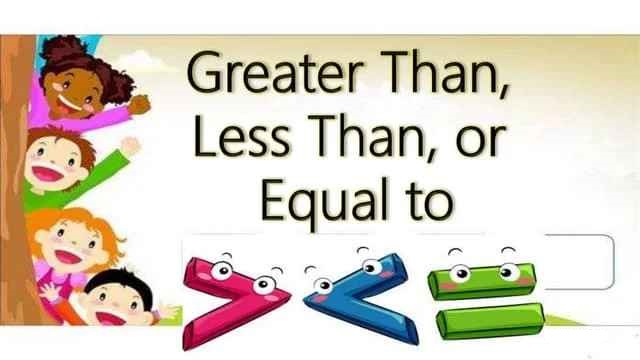
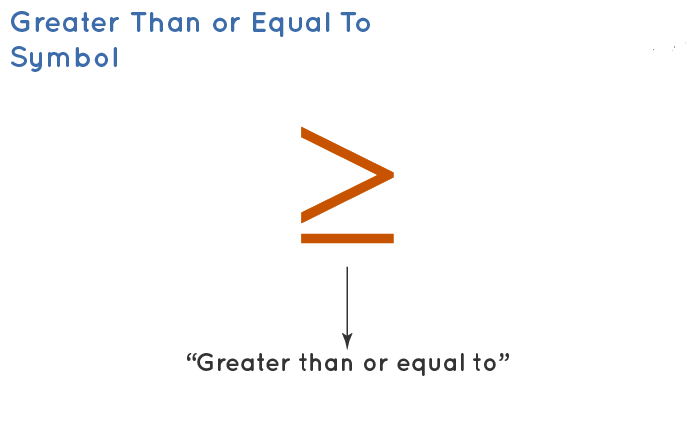
The greater than or equal to symbol is written as ≥. It is a mathematical inequality sign used to compare two values or expressions.
It tells you that the value on the left side is either larger than or exactly equal to the value on the right side. Both conditions make the statement true.
The symbol combines two ideas into one: the greater than sign (>) and the equals sign (=). The horizontal line underneath the angle is what adds the “equal to” part.
What Does ≥ Mean?
When you see x ≥ 5, it means x can be 5, 6, 7, 8, or any number above 5. The value does not have to be strictly larger — it can also be exactly 5.
Think of it as saying: “at least this much.” For example, “you must be at least 18 years old” is a real-life use of the ≥ concept.
The symbol does not give you one fixed answer. Instead, it defines a range of valid values starting from the given number all the way to infinity.
The Symbol at a Glance
| Symbol | Name | Meaning | Example |
|---|---|---|---|
| > | Greater than | Left side is strictly larger | 7 > 4 |
| ≥ | Greater than or equal to | Left side is larger or equal | 5 ≥ 5 |
| < | Less than | Left side is strictly smaller | 3 < 9 |
| ≤ | Less than or equal to | Left side is smaller or equal | 6 ≤ 6 |
| = | Equal to | Both sides are the same | 4 = 4 |
| ≠ | Not equal to | Both sides are different | 3 ≠ 7 |
History of the Greater Than Symbol
The greater than sign (>) was first introduced by English mathematician Thomas Harriot in his book published in 1631. The book was titled Artis Analyticae Praxis, and it introduced both the > and < symbols to mathematics.
According to historical accounts, Harriot may have been inspired by a symbol he observed during his time surveying North America. The greater than or equal to version (≥) came later as mathematicians needed a way to express inclusive comparisons.
Today, the symbol is universally recognized in math, science, technology, and everyday language around the world.
Greater Than or Equal To Symbol: Unicode and Technical Details
For those who need the technical details, here is everything about the ≥ character:
| Property | Value |
|---|---|
| Symbol | ≥ |
| Unicode Code Point | U+2265 |
| HTML Entity | ≥ |
| Alt Code (Windows) | Alt + 242 |
| Alt Code (Windows) | Alt + 8805 |
| Word Shortcut | 2265 + Alt + X |
| Mac Shortcut | Option + . (period) |
| LaTeX Code | \geq |
| ASCII Version (coding) | >= |
How to Type the Greater Than or Equal To Symbol
Many people struggle to find the ≥ symbol on their keyboard because it is not on a standard key. Here are the easiest methods for every device and platform.
On Windows
Hold the Alt key and type 242 on the numeric keypad, then release Alt. The ≥ symbol will appear instantly. This method works in almost every Windows application including Excel, Notepad, and browsers.
You can also hold Alt and type 8805 for the same result on some systems.
In Microsoft Word
Type 2265 and immediately press Alt + X. Word converts the Unicode code directly into the ≥ symbol. This is the fastest method for Word users.
On Mac
Press and hold the Option key, then tap the period key (.) or the > key. The ≥ symbol appears immediately. This shortcut works in Pages, Notes, Google Docs, and Microsoft Word on Mac.
On iPhone and iPad
The easiest method is to copy and paste: ≥. You can also go to Settings → General → Keyboard → Text Replacement and create a shortcut like >= that automatically expands to ≥.
On Android
Open the keyboard, tap ?123 to switch to symbols, then tap =/< to find the ≥ symbol. On Gboard, you can tap the G logo and search for “greater than or equal.”
In Google Docs
Go to Insert → Special Characters, then search for “greater than or equal to.” Double-click the symbol to insert it into your document.
Platform Summary Table
| Platform | Method | Shortcut |
|---|---|---|
| Windows | Alt code | Alt + 242 |
| Microsoft Word | Unicode shortcut | 2265 + Alt + X |
| Mac | Keyboard shortcut | Option + . |
| iPhone / iPad | Text replacement | Set >= → ≥ |
| Android (Gboard) | Symbol keyboard | ?123 → =/< |
| Google Docs | Insert menu | Insert → Special Characters |
| LaTeX | Command | \geq |
| HTML | Entity code | ≥ |
Greater Than or Equal To in Mathematics
In math, ≥ is an inequality symbol. It is used whenever a value is not fixed but must meet a minimum condition.
Basic Examples
Example 1: Is 9 ≥ 7 true? Yes. Because 9 is greater than 7, the statement is true.
Example 2: Is 4 ≥ 4 true? Yes. Because 4 equals 4, and the symbol includes equality, the statement is true.
Example 3: Is 3 ≥ 6 true? No. Because 3 is neither greater than nor equal to 6, the statement is false.
Solving Inequalities with ≥
When you solve an inequality like x ≥ 3, you are finding all values of x that satisfy the condition.
The answer is not a single number. It is a set of values: x = 3, 4, 5, 6, 7… and everything in between, including decimals and fractions.
Representing ≥ on a Number Line
On a number line, you draw a closed circle (filled dot) at the starting value. Then draw an arrow pointing to the right toward larger numbers.
The closed circle is key — it means the starting value itself is included. An open circle would mean that value is excluded, which would be the > symbol instead.
| Symbol | Circle Type | Direction |
|---|---|---|
| > (greater than) | Open circle | Right arrow |
| ≥ (greater than or equal to) | Closed circle | Right arrow |
| < (less than) | Open circle | Left arrow |
| ≤ (less than or equal to) | Closed circle | Left arrow |
Flipping the Symbol in Inequalities
One important rule: when you multiply or divide both sides by a negative number, you must flip the ≥ symbol to ≤.
For example: If -x ≥ 3, then x ≤ -3. This is a rule that applies to all inequality symbols.
Greater Than or Equal To vs Greater Than
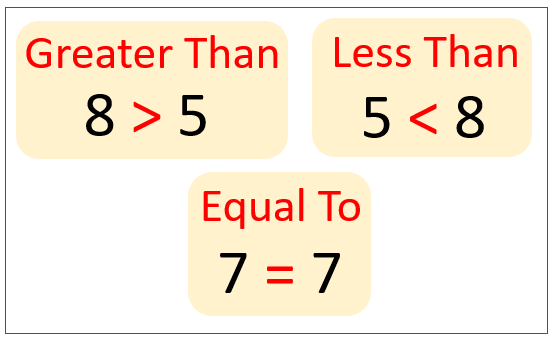
Many students confuse > and ≥. Here is a clear breakdown:
> (greater than) means strictly larger. The value cannot be equal.
- 5 > 5 is FALSE
- 6 > 5 is TRUE
≥ (greater than or equal to) means larger or the same. Equality is allowed.
- 5 ≥ 5 is TRUE
- 6 ≥ 5 is TRUE
The only difference is whether the boundary value is included. Use ≥ when “exactly that amount” is acceptable. Use > when only amounts strictly above the limit qualify.
Real-Life Examples of Greater Than or Equal To
The ≥ symbol appears in everyday situations all the time — you just may not have noticed it.
Age Requirements
“You must be ≥ 18 years old to vote.” This means 18 is the minimum acceptable age. A person who is exactly 18 qualifies.
Height Restrictions
“Riders must be ≥ 48 inches tall.” Exactly 48 inches is fine. Anything shorter is not.
Minimum Grades
“A passing grade is ≥ 50%.” A student who scores exactly 50 has passed. Anything below 50 is a fail.
Shopping Discounts
“Free shipping on orders ≥ $50.” A cart total of exactly $50.00 qualifies for free shipping.
Presidential Age Requirement (USA)
“A candidate must be ≥ 35 years old to run for president.” The U.S. Constitution sets 35 as the minimum age, meaning exactly 35 is acceptable.
Weather and Temperature
“A heat advisory is issued when the temperature is ≥ 100°F.” Exactly 100 degrees triggers the advisory.
Greater Than or Equal To in Programming
In coding, you cannot type the ≥ symbol directly into most code. Instead, programmers use >= as a two-character operator. This works in virtually every programming language.
Python
x = 10
if x >= 5:
    print("x is at least 5")
JavaScript
let age = 18;
if (age >= 18) {
  console.log("You are old enough to vote.");
}
Java and C++
int score = 70;
if (score >= 60) {
    System.out.println("You passed.");
}
SQL
SELECT * FROM employees
WHERE salary >= 50000;
This query returns all employees with a salary of $50,000 or more. The value of exactly 50,000 is included in the results.
Excel and Google Sheets
In Excel, you use >= inside formulas:
=IF(A1>=70, "Pass", "Fail")
=COUNTIF(B2:B20, ">=100")
=SUMIF(C2:C50, ">=500")
The >= operator in spreadsheets works the same way as in math — it includes the boundary value.
Programming Language Comparison Table
| Language | Operator | Example |
|---|---|---|
| Python | >= | if x >= 10 |
| JavaScript | >= | if (x >= 10) |
| Java | >= | if (x >= 10) |
| C / C++ | >= | if (x >= 10) |
| SQL | >= | WHERE value >= 100 |
| Excel | >= | =IF(A1>=50,”Pass”,”Fail”) |
| PHP | >= | if ($x >= 10) |
| R | >= | if (x >= 10) |
| Shell / Bash | -ge | if [ x -ge 10 ] |
Note: In shell scripting, the -ge flag means “greater than or equal to.” The actual ≥ symbol is only used in formal writing and math, not inside code.
Common Mistakes to Avoid
Even experienced writers and coders make errors with this symbol. Here are the most frequent mistakes:
Using => instead of ≥ in math writing. The symbol => means something else in many programming languages (like arrow functions). In formal math, always use ≥.
Confusing ≥ with >. If the boundary value should be included, use ≥. If not, use >.
Forgetting to flip the symbol when multiplying or dividing by a negative number in algebra.
Writing the symbol backwards as ≤ when you mean ≥. Remember: the open side always faces the larger value.
Using the Unicode ≥ in actual code. Programming language parsers expect >= (two characters), not the Unicode ≥ symbol. Always use >= in code and ≥ in math writing.
Tips to Remember the Greater Than or Equal To Symbol
The Alligator Trick: Think of the symbol as an alligator mouth. The mouth always opens toward the bigger number because the alligator wants to eat the larger value.
The L Trick: Rotate the less than sign slightly and it looks like the letter L — for “Less than.” This helps you remember which direction the symbol faces.
The Equal Line: The small horizontal line under ≥ is the reminder that equality is included. No line = strict inequality. Line underneath = includes equality.
Frequently Asked Questions (FAQs)
What is the greater than or equal to symbol?
The greater than or equal to symbol is ≥. It means the value on the left is either larger than or exactly equal to the value on the right.
What is the difference between > and ≥?
The > symbol means strictly greater than and does not include equality. The ≥ symbol includes equality, so 5 ≥ 5 is true but 5 > 5 is false.
How do I type the ≥ symbol on Windows?
Hold the Alt key and type 242 on the numeric keypad, then release Alt. In Microsoft Word, type 2265 and press Alt + X for the same result.
How do I type ≥ on a Mac?
Press and hold the Option key and tap the period (.) key. This shortcut works in most Mac applications including Word, Pages, and Google Docs.
What does ≥ mean in programming?
In programming, the equivalent of ≥ is the two-character operator >=. It checks whether the left value is greater than or equal to the right value and returns true or false.
What is the Unicode for the greater than or equal to symbol?
The Unicode code point for ≥ is U+2265. The HTML entity is ≥ and the LaTeX command is \geq.
What does “at least” mean in math?
“At least” means greater than or equal to. For example, “at least 10” means the value must be 10 or higher, which is written as ≥ 10.
Is ≥ used in Excel formulas?
Yes. In Excel and Google Sheets you use >= instead of ≥. For example: =IF(A1>=70,”Pass”,”Fail”) checks if the value in A1 is 70 or more.
How do you show ≥ on a number line?
Draw a closed (filled) circle at the starting value and draw an arrow pointing right toward larger numbers. The filled circle shows the starting value is included.
Can ≥ be used with negative numbers or decimals?
Yes. The symbol works with all types of numbers including negative numbers, decimals, and fractions. For example, -2 ≥ -5 is true because -2 is closer to zero and therefore larger.
Conclusion
The greater than or equal to symbol (≥) is far more than just a math sign. It is a fundamental tool that shows up in algebra, programming languages, spreadsheet formulas, database queries, and countless real-world rules every single day.
Understanding exactly what ≥ means — and how it differs from > — gives you clarity in math, coding, and everyday decision-making.
The key things to remember are simple. The ≥ symbol means “at least.” The boundary value is always included. In code, you write it as >=. On Windows, Alt + 242 types it instantly, and on Mac, Option + period does the same job.
Whether you are a student working through linear inequalities, a developer filtering database results, or just someone who needed to type the symbol for a document, you now have everything you need.
The greater than or equal to symbol is one of the smallest but most powerful tools in mathematics, and knowing how to use it correctly makes you more precise in everything you write.