
Image Enhancer Fails When Recap Faces Drift
Recap desks lose the morning when a thumbnail face no longer matches the interview clip. A compressed still from a livestream, a circular avatar crop, or a lower-third nameplate can look soft after a platform resize. An Image Enhancer can clean that file, but the job is not “more sharpness.” The job is keeping the same person, the same spelling, and the same show identity after the image is small again.
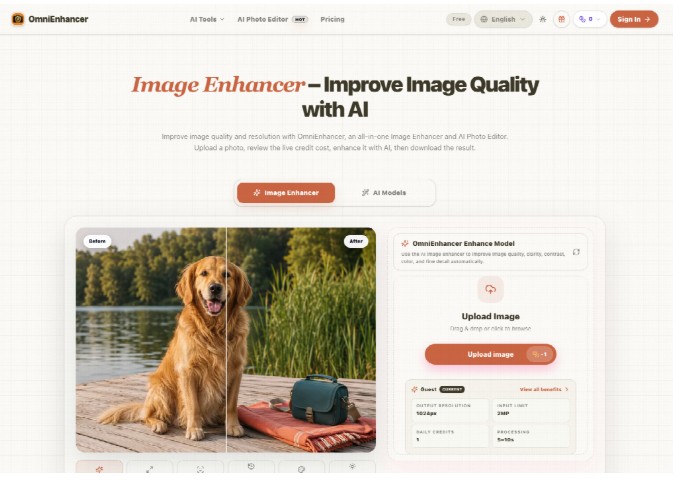
The desk rule is identity first, polish second. OmniEnhancer exposes Face Restore next to ordinary quality tools, and guests get one free credit a day without signing up. That daily limit is useful if it forces a better first file. It is useless if the first pass invents a second jawline and the editor spends the next hour arguing with talent management.
Recap Faces Drift Faster Than Logo Softness
A recap package moves through many small frames before anyone watches the cut. The homepage tile, the newsletter header, the story-card crop, and the circular avatar all throw away context. Softness in a logo is annoying. Drift in a face is a correction email. In our newsroom, the first preview is checked against the source clip, not against a memory of who appeared that night.
Face drift shows up in ordinary places. A smile becomes more even than the interview. An eyelid opens wider. A beauty mark disappears. Hairline texture turns into a generic wig. Those changes can look expensive in a large preview and still fail when the same file is dropped into a 160-pixel circle. The circle is the public version. If the circle looks like a different guest, the recap cannot ship.
Circular Crop Is The First Place Faces Break
Open the source still and the enhanced file beside the original, then mask both into the same circle the site uses. Do not judge from the full rectangle. Ears, jaw corners, and the gap between hair and cheek are the first things a circle cuts. If Face Restore rebuilt those edges into a smoother stranger, discard the file. A recap can survive a slightly soft logo. It cannot survive a guest who looks like another booking.
Keep a wider still next to the circle. The wider frame shows wardrobe, set, and the microphone flag that prove the crop came from the same interview. If those objects stay and the face changes, the problem is identity, not compression. Send that pair back to the editor with one sentence: the face no longer matches the clip.
Nameplates And On-Screen Type Cannot Be Rebuilt
Recaps also carry names. A lower-third, a chyron, a quote card, or a sponsor bug is not decoration. If the model guesses a missing letter, the page publishes a misspelled person. That is a legal and social cost, not a style note. Unreadable type after a platform compress should be replaced from the graphics template, not inferred from a muddy screenshot.
| Asset | Pass signal | Reject signal |
| Guest face in a circle | Same person as the clip at 100 percent | New jaw, teeth, or hairline |
| Lower-third name | Every letter matches the rundown | A guessed character or fused pair |
| Show bug | Shape and color stay stable | A thicker or invented mark |
| Quote card | Words stay the words that were said | A cleaner sentence the guest did not speak |
The table is a gate, not a taste score. If a nameplate looked fine until it sat next to the rundown, the enhancement failed. Rework here is an hour of messages with booking, legal, or the host. That hour is more expensive than waiting for a cleaner still from the control room.
Face Restore Helps Only After Identity Is Locked
Face Restore is the right control when the person is already recognizable and the file is simply muddy. It is the wrong first click when the still is a smear or a screenshot of a screenshot. OmniEnhancer can lift facial detail, color, and texture, but the public claim is still “this is the guest who sat in the chair.” If that claim needs a guess, request another frame from the recording.
Use one pass. Upload the least compressed still you have, keep the live credit cost in view, generate once, and compare. A second pass on the same face often adds confidence the source never earned. The Enhance Image path should stay a quality step. Background removal, object cleanup, or a new set belong in a separate creative file, never in the recap archive. If booking already sent a headshot from another day, do not “improve” the interview still toward that headshot. The recap has to match the night that aired, including tired eyes and the actual wardrobe.
One Guest Credit Forces A Better First File
Guests receive one credit a day without an account. That is enough for a single careful check, not for a stack of experimental faces. If the first upload is a chat screenshot, the credit is spent on a file that should have been replaced. Ask the producer for the original still or a frame export from the recorder. The daily balance then tests a real image instead of a twice-compressed copy.
Compare The Face At Feed Size
After generation, do not stop at the editor’s large preview. Drop the result into the actual card, circle, and newsletter width. Check teeth, glasses, jewelry, and the line where hair meets skin. If any of those details invent a new barrier or a new mark, the file is rejected even when the rest of the portrait looks expensive. Save the rejected pair so the next shift does not repeat the same guess.
Creative Edits Do Not Belong In A Recap File
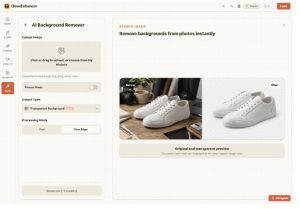
Recap pages get traffic because people recognize the night. Changing the set, removing a person from the couch, or rebuilding a backdrop turns the page into a poster. OmniEnhancer also offers editor tools for those jobs. Use them on a labeled derivative if marketing wants a campaign key art. Do not drop that derivative back into the recap folder as if it documented the taping.
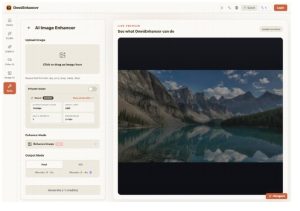
The same split applies to color. Low-Light Enhance can help a dim interview, but it should not invent a second lighting plot. If the studio was under-lit, say so in the caption or request a better frame. A brighter face that no longer matches the video creates a continuity complaint in the comments and a correction ticket on the desk.
Send The Clip Owner The Rejected Face
OmniEnhancer fits recap teams that will keep the source clip beside every still and will reject a prettier stranger. It is a poor fit when the only available frame cannot identify the guest. In that case, another generation does not replace a better export from the recorder.
The useful habit is public and small. Compare the circle. Read the nameplate. Keep the clip owner in the loop when a face is discarded. That single discard protects the show more than a sharper thumbnail that books the wrong person.
If the face and the type still match after the file is small, the recap can publish. If they do not, wait for a cleaner still. The audience will forgive a slightly soft image. They will not forgive a guest who was never in the chair.